HP Spectre Envy and the case of hidden NFC

HP Spectre is arguably the first mass-produced laptop with an integrated NFC reader. While Lenova has reportedly experimented with NFC in a small number of their venerable business laptops, HP delivered the first off-the-shelf device for sale in the US. What follows are observations from experiments with this capability. These can be best summed up as a collection of surprises.

The first surprise is the extent that NFC is downplayed by the marketing literature. The product pages dedicated to the Spectre and its close cousin Spectre XT are not shy about their accolades, such as the CES 2012 award. But there is nary a mention of NFC anywhere on the page, not even in the product specifications. Main search results for NFC on the HP website refer to as-yet-unreleased Windows 8 tablet called Envy X2. Only a single support link on the right alludes to troubleshooting NFC for the Spectre. In fact there is more excitement about and references to NFC on external blog posts from January covering the product announcement and later full reviews. (HP has since also announced an all-in-one desktop with integrated NFC called Spectre One, that has been controversial for its iMac-inspired all metal styling.)

The next surprise is that exterior design does not advertise NFC either. It’s not that logos have been banished entirely in the service of some minimalist aesthetic:  there is a back-lit red icon for Beats audio, in case you missed that, and even a self-referential track pad symbol on the track pad. But there is no NFC icon to guide users towards the antenna location– under the palm-rest, immediately to the left of the trackpad as it turns out. This could be a usability problem. The “N” in NFC stands for “near” and for good reason:  tags, cards and smart-phones have to be placed right above the antenna in order to exchange data using that technology. That’s a challenge when users do not know where the antenna is located.

Incidentally the placement of said antenna faces a very strict constraint from physics: metal interferes with the ability to modulate the RF field. That leaves the palm-rest (which is a layer of Gorilla glass on top of plastic) and the capacitive surface of the trackpad as two logical options. The choice for the Spectre makes eminent sense for ergonomic reasons, compared to forcing the trackpad to do double-duty as NFC antenna. User may want to leave a tag/card/phone on top of the reader while continuing to interact with the machine. The same principle also argues against using the keyboard, screen or any other part of the user interface. One can imagine this is going to be challenging for Apple, as Macbooks have a signature all-metal exterior shell, with only two areas are exposed: the Apple logo on outside of the top lid, and the trackpad. Meanwhile MSFT threw in the towel when faced with the same problem, hinting they dropped NFC from the all-magnesium Surface tablet because of metal inteference.

Back to the Spectre: under the hood is the NFC controller PN533, produced by NXP Semiconductors. For comparison the majority of Android devices feature the PN544 from the same family, coupled to an embedded secure element also produced by NXP. Main difference here is there is no hardware SE inside the laptop. (Nor is there another viable candidate such as TPM or SIM card slot in the laptop that could be substituted using single-wire-protocol. )

In terms of the three NFC modes, the existing driver only exposes support for peer-to-peer mode. This is the second surprise, as it constrains usage in crucial ways.

[continued]

CP
Downgrading cookies, functional bit-rot and privacy

Taking a break from the series on Android and NFC to revisit a recurring theme: privacy features in web browsers.

It has been 10+ years since Internet Explorer introduced the notion of downgrading cookies, as part of P3P-based cookie management introduced with version 6. To recap: HTTP cookies are small identifiers used by websites to track users across multiple visits. In terms of lifetime, cookies come in two flavors. Persistent cookies— so called because the expectation is that they are stored on persistent storage such as disk drive for long term access– have a fixed expiration date specified by the website, which can be as far into the future as the year 2038. By contrast session cookies are intended to be temporary, getting automatically discarded when the user exists their web browser. (Strangely certain usage patterns where the browser is always left running, as in Chromebooks and even incarnations of Chrome on Android, means this “temporary” period can span days or weeks.)

Downgrading is the act of converting a persistent cookie into a session cookie, with one twist: lifetime of the cookie is bounded by the session and original expiration specified by the website, whichever occurs first. This was an explicit design goal to prevent a website from discriminating against users who employ the feature. It is relatively easy to detect when cookies are rejected altogether, and compel the user to modify their settings. If downgraded cookies outlived their stated expiration date, a website could likewise detect that their long-term tracking cookies were not being retained: set a cookie with a very short lifetime on the order of seconds and check if it is still being replayed after that time period elapses. Stopping this also guarantees compatibility: if websites can’t detect whether a cookie was accepted ,or downgraded, even when they go out of their way, using the feature will not break an existing website that was relying on cookies during that browsing session either.

Downgrading is used judiciously in IE default P3P settings, as middle-of-the-road response to unsatisfactory policies, preferable to outright rejecting the cookie which may break the site. Other browsers followed suit with comparable features. For instance Firefox has an option to delete cookies automatically when user exits the browser. Interestingly enough, IE never exposed an option in the UI to downgrade all persistent cookies regardless of P3P policy. (Downgrade option is not offered in the advanced privacy preferences dialog, but it is possible to import custom XML settings to do that. Here is an example ZIP file containing custom settings to downgrade all first & third-party cookies.)

What changed in the intervening 10 years? Main difference is that cookies are no longer the only ubiquitous tracking mechanism. Granted this was never true, even at the height of the great Internet privacy scare over cookies. Many creative ways to abuse other stateful mechanisms for tracking has been discovered, including DNS, visited sites history and page  cache. But these schemes all had limitations limiting their scaling.  Into the void stepped in Flash, with its local shared objects and later HTML5 standardizing similar capabilities with session storage and local storage, complete with the imprimatur of W3C. Both mechanisms present websites with functionality comparable to HTTP cookies. In fact LSOs are dubbed “Flash cookies” informally, and they have the feature/disadvantage (depending on perspective) of functioning across multiple browsers.

More importantly from a privacy perspective, both operate outside the purview of existing cookie controls. For example P3P policy evaluation is not used to limit access to the DOM storage or Flash cookies. Downgrading cookies has no effect when the same tracking identifier is also stored as Flash LSO or in local storage, which outlives the cookie. This is not a theoretical concern: a 2009 study from Berkeley found sites “resurrecting” deleted cookies from Flash counterparts. A follow up study in 2011 showed similar tracking behavior using HTML5 storage and even the HTTP cache.

Privacy features in the browser have not kept up with the new reality. There is no equivalent to downgrade option for converting persistent DOM storage into session storage. Nor is there any option to synchronize the lifetime of Flash LSO to cookies from the same origin, to prevent one from being used to respawn the other. There are crude mechanisms in place for viewing/deleting stored LSOs per website, and blacklisting sites from using Flash storage in the future. But these mechanism are proprietary to Flash, not influenced by existing browser privacy settings that are readily accessible to the user. For example importing custom privacy settings with a blacklist of sites can block them from using cookies, but has no impact on alternative tracking mechanisms. (In fact Flash settings have such haphazard UI, as embedded control inside a web page hosted on a Macromedia website that the authors felt compelled to add this helpful explanation: “The Settings Manager that you see above is not an  image; it is the actual Settings Manager itself.”) There is also the heavy-handed approach to private browsing which discards all state after the session ends– and even that was initially undermined by Flash, until Adobe kindly released an update in 2010.  Neither of these mechanisms permit fine-grained control where scope of tracking is limited based on website policies.

It is a case of bit-rot operating at higher level. Strictly speaking cookie management in IE is still operational in the sense that it works as advertised. Yet it no longer serves the original purpose of protecting users against tracking, because it has not been improved/expanded to cover alternative mechanism for infringing on user privacy.

CP

Your Android phone is also a smartcard

An earlier post discussed the three different modes supported by the NFC controller on Android devices. In this post we look at a surprising consequence of one of these: card emulation.

To recap: in card emulation mode, the NFC controller is directly attached to the embedded secure element on the device. Traffic is routed directly between SE and external NFC receiver– such as point of sale terminal, in the case of mobile payments with Google Wallet– without traversing the host operating system at all. In other words, Android is not in the picture for shuttling these bits, except for the supervisory actions of enabling/disabling card emulation mode.

As the name implies, in this state the phone looks like a traditional smartcard. An easy way to demonstrate this is using the built-in smartcard support in Windows for logon. Ingredients for this demo:

  • Recent vintage Windows PC running Vista or higher version of the operating system. Virtual machines are fine for this purpose.
  • Machine joined to an Active Directory domain (** It is also possible to do this using stand-alone PC but that requires installing third-party software.)
  • Contactless or dual-interface smartcard reader
  • Android phone running Google Wallet

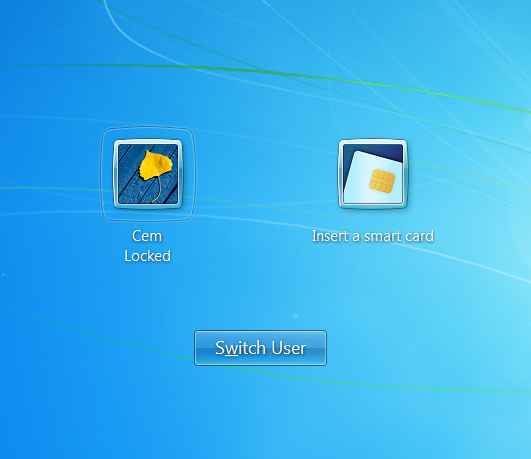
When  smart-card reader is attached to a recent vintage Windows machine (Vista and later) joined to a domain networks, it presents the option to logon using a smartcard instead of a password:

Logon screen with password and smartcard options.

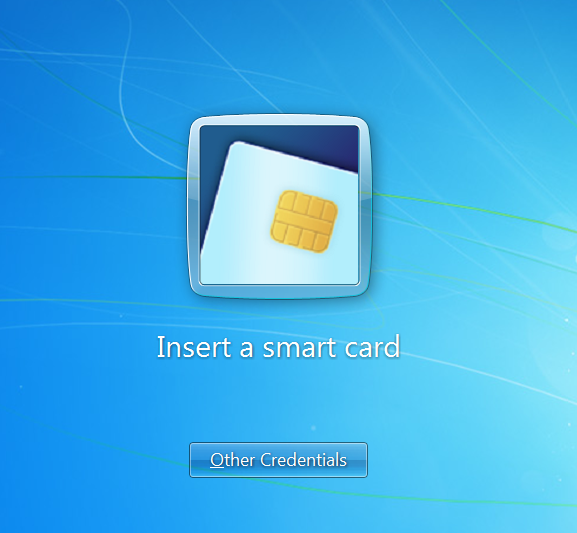
Clicking on the smart-card option, we are prompted to insert a smartcard:

Windows logon screen, requesting smart-card

At this point, turning the screen on and tapping it against the  contactless smart card reader leads to a flurry of activity, with the message “reading smartcard” briefly flashed under the tile, quickly followed by an error:

Error message showing no certificates found, during Windows logon

This is what might be called a succesful failure. Here is the sequence of events that transpired:

  1. Turning the screen on enables card-emulation mode on Android devices by default. (Note it is not necessary to unlock the screen, similar to how payments can be executed by tapping the point-of-sale terminal.)
  2. When the phone is introduced to the NFC field of the smartcard reader in this state, Windows smart-card service registers it as a card-present event.
  3. Appearance of a new card triggers a discovery process, to determine what type of card the user has introduced. End goal is picking a suitable smart-card driver. Because applications using smart-card operate in terms of higher level of abstractions such as certificates and cryptographic keys, drivers are required to translate these into low-level commands that each type of card understands.
  4. During the discovery process, the PC will exchange traffic over NFC with the secure element, to query its features.
  5. Driver discovery fails. This is not surprising– the “card” in question is used for contactless payments. It does not implement any of the standard card edges built into Windows 7/8 (PIV and GIDS) and neither does the answer-to-reset (ATR) identifier returned by the secure element
  6. Because no driver is located, the higher level application– in this case Windows logon– also fails in its attempt to locate credentials on the card, displaying the error in the last screenshot.

In the next post, we will look at another way to interact with an Android phone as smart-card, before posing the question: what if the emedded secure element did implement one of the recognized profiles such as PIV?

[continued]

CP

Why encryption would not have saved General Petraeus (part II)

[Second post in a series on why encryption is not the silver bullet for the case of General Petraeus and Paula Broadwell]

2. Encryption does not hide traffic patterns

The first half of this discussion centered on usability challenges of encrypting email with common cloud-based email providers, and how their web interfaces did not exactly help in this endeavor. It turns out that even for the very patient users willing to invest the extra effort and incur the overhead of setting up encryption, it would have made no difference against the type of surveillance FBI is believed to have conducted in this case.

First the threats sent by Ms. Broadwell to Ms. Kelley had to be readable by the recipient. Even if they were encrypted, Ms. Kelley would have voluntarily revealed their contents to law enforcement since it was at her urging that the FBI began investigating the source of these communications.  NBC coverage suggests that FBI only relied on location history for that account (IP addresses and timestamps) to determine the owner. In fact since it is described as an “anonymous” account, it is possible that Ms. Broadwell limited its use to sending those warning shots, never corresponding with other persons that could link the account to her true identity. In other words, the investigators had to rely on metadata for unmasking the sender.

Once Ms. Broadwell’s identity was established– presumably by obtaining access to other accounts accessed from the same IP addresses– law enforcement had access to correspondence sent from these additional accounts. Let’s suspend disbelief and assume that 100% of communications to/from that account were encrypted. This would not have prevented  obtaining metadata about other email addresses observed to be frequently communicating with Ms. Broadwell and performing similar analysis to establish the link to General Petraeus.

As several commentators pointed out, using an anonymizing proxy such as Tor— even when limited to the one-off email account– could have helped with obscuring IP addresses.

3. Encryption would have drawn more attention to the sender

In reality of course not all of the correspondence discovered in Ms. Broadwell’s account would be encrypted. Most of it is routine chatter with friends and associates that does not warrant the extra hassle of using cryptography. When only a few senders in the address book are using encryption, these contacts immediately stand out. Given Ms. Broadwell’s level of security clearance and access to the inner circle of national security leadership, it would have been an alarming discovery that she is corresponding with unknown individuals from a personal email account using strong cryptography.

It’s a murky picture around the question of whether individuals can be legally compelled to decrypt their own communications to aid an investigation. But once investigators had uncovered a frequent pattern of encrypted traffic between General Petraeus and a suspect in an investigation under suspicion of mishandling classified information, either or both sides of that exchange would come under enormorous pressure to come clean by revealing cleartext version of their correspondence– irrespective of whether they can be forced to, as matter of due process.

CP

Why encryption would not have saved General Petraeus (part I)

The resignation of General Petraeus in the aftermath of details emerging of his correspondence with Paula Broadwell has reinvigorated the debate around privacy of data entrusted to cloud service providers. EFF provided a good summary of discrepancies in existing law, where there are seemingly haphazard exceptions carved for communications stored for more than 180 days or already-opened messages– exceptions that may have made it easier for FBI to obtain access to email exchanges between the general and Ms. Broadwell.

A knee-jerk reaction here is to argue they should have been using encryption all along. But this calls to mind a statement variously attributed to Peter Neumann or Roger Needham: “If you think cryptography is the solution to your problem, you either don’t understand cryptography or you don’t understand your problem.” There are three reasons why encryption is particularly fraught with problems for this use case.

1. Usability challenges. Web email providers for the most part have little or no integration with client-side encryption schemes, such as S/MIME or PGP. The average user of these services has no way to compose an email that is not going to be readable by both the sender and recipient services. This limitation is not to be confused with encryption of content to/from the user to the service. Protecting those links with SSL is standard practice today. (Although that in itself is a relatively new phenomenon– GMail lead the way among major providers by switching on SSL by default in 2010 in the aftermath of the China incident, although niche services such as Hushmail supported SSL going much earlier.)

Part of the fault lies with web browsers: they do not make it easy to exercise the cryptographic capabilities of the underlying OS in a platform-independent way. Speaking of Hushmail, that was an example of an attempt at overcoming the browser limitations using a custom Java-based solution itself authored by Hushmail and later implementing cryptographer server side. In the end it only proved the limitations of the model: because encryption code was provided by Hushmail itself (as opposed to being part of software locally installed on end user machine) at the behest of law enforcement it could be replaced by a Trojaned version that surrendered key material.

It is possible to indirectly use S/MIME or PGP by having a native client installed on the local machine. (Also called “rich client” in come circles, casting aspersions at the quality of web based user-interfaces) Examples of these are Outlook, Mozilla Thunderbird and Eudora. These applications either have built-in support or define an extension mechanism for third-parties to implement strong cryptography. They can also be configured to work with popular cloud providers such as Yahoo or GMail for sending/receiving email.

In this model, the email provider becomes glorified storage box for encrypted content. It has zero visibility into the content of messages exchanged, only seeing an opaque stream of unintelligible ciphertext. The privacy goal is achieved, but at what cost? Encrypted messages can only be sent from machines where email clients are setup and cryptographic keys available. The first limitation means that it is not possible to point any old web browser at mail.google.com to read email. Encrypted messages will appear with blank contents, with the actual ciphertext in an attachment that the service provider can not make sense of. Search over email contents will not work– since original message is not available, it can not be indexed. (Neither will ad targetting, but that is arguably a problem the user cares less about.)

There is also the problem of key management but in this regard General Petraeus and Ms. Broadwell were fortunate. As defense employees, they would be in possession of PIV cards, which are smart-cards that can store cryptographic keys for different purposes: authentication, digital signatures, encryption and even physical access with badge readers. Moreover the widespread use of PIV card for logical access has motivated different vendors to make sure their platform makes it easy to use the cards. Case in point: PIV support is built into Windows 7 with no additional middleware required. In the most likely scenario of two users running Outlook on a recent vintage Windows machine, signing or decrypting a message would be as easy as inserting the card into the reader and typing in the PIN. For two random users without the benefit of a government issued smartcard or an ecosystem shaped by market pressures to support that card, it would be a different magnitude of difficulty trying to decrypt messages on another machine.

[continued]

CP

General Petraeus, FBI and privacy in the cloud

There are a lot of unanswered questions on exactly how FBI unraveled the communications between General Petraeus and his biographer Paula Broadwell.  Were accounts breached due to “user error” in password management, as many quips about enabling 2-factor authentication assume? Or was information subpoeneaed via lawful channels from the service providers? As other critics were quick to point out, the incident is sure to focus attention on the question of exactly how much privacy exists in traffic entrusted to cloud service providers.

First the red herrings. Yes, the general and Ms. Broadwell clumsily attempted to hide their communications by composing messages and saving them as unsent drafts, using the GMail drafts folder as a dropbox. As Chris Soghoian points out, this technique was tried before, by none other than terrorists linked to Al Queda in the past. It did not work– a point that one would assume the person running a US intelligency agency would know by heart. Similarly news accounts imlpy that Broadwell used “anonymous” email accounts. That phrase is ambiguous but in this context it presumably means she used a dedicated account, where the chosen email address and associated profile (providing the name appearing in the “From” field of outbound messages) were made up aliases, lacking any obvious connection to the legal name of the user.

Soghoian’s account has two competing explanations of how that scheme fell apart. The first one from NYT implies that FBI used IP addresses from email threats to identify other accounts used by the same person:

“[…] investigators had to use forensic techniques — including a check of what other e-mail accounts had been accessed from the same computer address — to identify who was writing the e-mails.”

This implies that a very wide net may have been cast during the investigation. Even if the original threats were sent using an account from one email provider, it does not follow that the same person had a second account with the same provider containing her real identity.  Instead law enforcement may be forced to request information from several other providers. To make this more concrete, suppose the threats were sent from an AOL account. (Hypothetically speaking, as this particular detail is not known– earlier allegations that it was GMail were retracted by Wired.) While AOL can provide information from their logs on the IP addresses used to access the sender account, they may have seen no other activity from that address. It could even go in the other direction, where a large amount of activity is observed, which does not permit unique identification. But the same person could have accessed their “true” Yahoo, Hotmail or GMail account from the same IPs. By collecting information from these other providers, the investigators stand a better chance of singling out the suspect. It’s difficult to imagine this happening, considering that at this stage the investigation was purely around email threats to Ms. Kelley and no link to General Petraeus had been established. But emerging information also points to an over-zealous FBI agent that may have taken a personal interest in the case.

The other alternative suggests that no such cross linking was required, and that correlating IP addresses over time was sufficient. Specifically hotel networks are implicated:

“They did that by finding out where the messages were sent from—which cities,
which Wi-Fi locations in hotels. That gave them names, which they then checked
against guest lists from other cities and hotels, looking for common names.”

Once an email is traced back to a particular hotel wireless network, a reasonable hypothesis is that it was a guest staying there. (Granted, this is far from being a slam-dunk conclusion: it could have been a visitor, or friend of a guest for example.) But once multiple data points are available from several hotels, simply taking the intersection of all travellers staying at those hotels could lead to the single person that fits all the data. This would not require casting a wide net across multiple cloud providers, only the hotels implicated in the messages. If the wireless network at each location recorded the MAC address of connecting laptops, it would also be possible to verify that a particular machine indeed accessed that network– assuming no tampering of MAC addresses.

Either way, once Ms. Broadwell’s identity and associated email accounts were revealed, the rest followed quickly. It is clear FBI obtained access to the content of her communications, spent significant time reading through her correspondence and unmasking the identity of her email contacts, leading to the CIA director.

All of this poses one question: is there a way to use cloud services that affords better privacy protection?

CP

Programmable magnetic-stripes: in search of a problem

While chip & PIN and contactless payments are the officially-sanctioned next generation technology for card payments, there is also some incremental innovation happening in the magnetic stripe world.

Programmable magnetic stripes are not exactly new, with the first public descriptions dating back to 2010. There are several companies in the space, although Dynamics appears to be the loudest in term of generating PR. While the standard magnetic stripe on a plastic card represents immutable data that does not change over the life of the card (unless of course the owner is into tinkering with mag-stripe writers) the idea of progammable card is that at different times the card represent different data, based on cardholder actions. For example it could be an office door badge one moment, then become a loyalty card at a store the consumer frequents, and eventually a standard payment card for purchases.

There are a number of technological and design hurdles involved in making this work. First the cards need an internal power source to change the magnetic stripe contents. That means a battery with several constrained physical dimensions, as the thickness of the cards is standardized. Different manufactureres promise several years of lifetime with average usage of the card, suggesting this particular challenge is solved. The more interesting design challenge is how the card contents are modified. This is where the competing solutions go their own ways: some are programmed in advance and present the user a button to switch between different virtual cards, others include bluetooth or NFC, relying on an external device such as smart phone to select the right card with a custom application. Each solution has its own trade offs: due to the lack of sensible UI on the card itself, switching with a button is limited to a small number of options. The phone based solutions are more extensible and allow dynamically provisioning new cards over-the-air but they introduce one more moving piece and point of failure. (“I can’t use my card to pay, because it is stuck in public-transit mode and the phone I use to change it back to credit card is out of battery.”)

The bigger problem is lack of a clear value proposition, beyond the physical aggregation or collapsing multiple cards into a single card.  At the end of the day, transactions are still processed a magnetic stripe swipe. The card can have all types of tamper resistant hardware to properly store its contents when not in use, but at the end of the day the secrets are being spilled out when they are encoded on track data. By itself this would not protect against ATM or credit-card fraud, because payment privileges are encoded using fixed data that can be stolen. (Compare this to how contactless payments work, where even in backwards compatible modes a unique CVV3 for each transaction mitigates the risk of replaying track data.)

Even the aggregation aspect could prove to be a difficult sell for reasons completely unrelated to technology. The reason bank cards have such elaborate designs is all parties share a strong interest in branding. The issuing bank wants its own colors on the front, and the network such as MasterCard wants its logo prominently displayed. While programmable cards can vary the contents of the magnetic stripe, the physical appearance of the card is fixed. That is to say, branding opportunities are limited if at all possible, especially for the open-ended model when new virtual cards can be added after the fact to existing cards.

CP

Clipper cards and transit privacy in the Bay Area

This could also have been called “much ado over Clipper card” history.

A recent cause of civil outrage in the ever-sensitive Bay Area is the discovery that Clipper cards used for MUNI and BART public transit systems store a history of recent locations where the card was used. For a more dramatic demonstration, Bay Citizen points out that the location can also be read using the FareBot application on Android phones. (Sorry, iPhone carrying would-be privacy infringers: no iOS version because Apple has not included NFC in any of their mobile devices yet.)

By conflating several different risks, the article is painting an alarmist picture that is not warranted by the very facts cited. First is the concern that procedures access to transit history can be misused by law enforcement for tracking. This has nothing to do with NFC, the design of the transit card or the way data is stored on the card. For the record, Clipper cards use Mifare DESfire. Data on the cards is divided into sectors, and each sector can be access-controlled to limit read/write operations to parties that possess cryptographic keys. But it is also possible to mark sectors as world-readable, or more precisely readable with default Mifare keys and this appears to be the case for location log. None of this would matter for access by law enforcement, since they would not be trying to scrape history from the card: instead a subpoena would be sent to BART (or Cubic, the company that operates the system, depending on how the process works) to produce this information from logs stored in the backend. Not even microwaving the card itself can stop this. While knowing the Mifare UID of the card can be helpful as an index into the database, it’s conceivable that law enforcement can also uniquely identify a user by providing data points of known locations, without access to the card. For example if it is known the suspect entered 24th St & Mission BART station between 10:00-10:30 and existed Embarcadero between 10:15-11:00. With enough these data points about the person known via other channels, there is likely a single Clipper card satisfying all the constraints.

Given the better known controversy over access to location history from cell phones, there is cause for concern about whether law enforcement would be too eager to request such information. But Bay Citizen itself quotes a spokesperson for the transit agency, putting the number of subpoenas at a whopping three so far. It’s difficult to argue that this constitutes a pattern of abuse.

A second independent risk is other people could attempt to learn the user’s location history by surreptitiously reading the card. As the Farebot developer notes, this would require physical proximity to the card-carrying person as the range of NFC is on the order of several inches without using bulky high-powered equipment. The attacker has to be able to activate the card including powering it via induction field. This is much harder than passively listening to existing communication between a card and NFC reader which is already powering the card. While such passive interception has been demonstrated from much greater distances than intended read range that capability does not help in this case because under normal usage the card-holder would not be performing an operation that reads out history– unless they happen to be running Farebot at the precise instant they are targetted. Even then the logs would be limited by the most recent entries that can be stored on the limited space reserved on the card eg a truncated version of full history where older entries are lost over time.

The other limitation of attacks requiring physical proximity is they do not scale easily and they expose the attacker to greater risk.  If our hypothetical villains were walking around trying to tap people’s pocket with Android phones to read out their location history, they would be expending the same effort to target a second user. (There may be some alternatives to scale the attack at constant cost: for example if an NFC reader is placed at an existing location where users would be inclined to tap their Wallet.) For this reason it is a greater risk for targetted attacks where a small number of useres are singled out for surveillance, as opposed to large-scale tracking. It would be far more efficient to breach the backend databases where all of the information is stored, if the goal is keeping tabs on all users in the system.

In summary, there is little reason to reach for the tinfoil for wrapping transit cards yet.

CP