[continued from part II]
Managing the mapping for smart-card logon
OS X supports two options for mapping a certificate to a local user account:
- Perform look-up in enterprise directory
- Decide based on hash of the public-key in the certificate
For local login on stand-alone computers without Active Directory or equivalent, only the second, very basic option is available. As described by several sources [Feitian, PIV focused guides, blog posts], sc_auth command in OS X— which is just a Bash script— is used to manage that mapping via various sub-commands. sc_auth hash purports to display keys on currently present smart-cards, but in fact outputs a kitchen sink of certificates including those coming from the local keychain. It can be scoped to specific key by passing an identifier. For example to get PIV authentication key out of a PIV card when using OpenSC tokend modules:
$ sc_auth hash -k "PIV"
67081F01CB1AAA07EF2B19648D0FD5A89F5FAFB8 PIV AUTH key
The displayed value is a SHA1 hash derived from the public-key. (Keep in mind that key names such “PIV AUTH key” above are manufactured by the tokend middleware; your mileage may vary when using different one.)
To convince OS X into accepting that certificate for local logon, sc_auth accept must be invoked with root privileges.
$ sudo sc_auth accept -u Alice -k "PIV"
This instructs the system to accept the PIV certificate on presently connected smart-card for authenticating local user Alice. There is another option to specify the key using its hash:
$ sudo sc_auth accept -u Alice -h 67081F01CB1AAA07EF2B19648D0FD5A89F5FAFB8
More than one certificate can be mapped to a single account by repeating that process. sc_auth list will display all currently trusted public-key hashes for a specified user:
$ sc_auth list -u Alice
67081F01CB1AAA07EF2B19648D0FD5A89F5FAFB8
Finally sc_auth remove deletes all certificates currently mapped to a local user account:
$ sudo sc_auth remove -u Alice
Smart-card user experience on OS X
So what does the user experience look like once the mapping is configured?
Initial login
First the bad news: don’t throw away your password just yet. The boot/reboot process remains unchanged. FileVault II full-disk encryption still requires typing in the password to unlock the disk.** Interestingly, its predecessor the original FileVault did support smart-cards because it was decrypting a container in the file-system after enough of the OS had been loaded to support tokend. New variant operates at a much lower level. Because OS X does not ask for the password a second time after the FileVault prompt, there is no opportunity to use smart-card in this scenario.
Good news is that subsequent authentication and screen unlocking can be done using a smart-card. The system recognizes the presence of a card and modifies its UI to switch authentication mode on the fly. For example, here is what the Yosemite login screen usually looks like after signing out:**
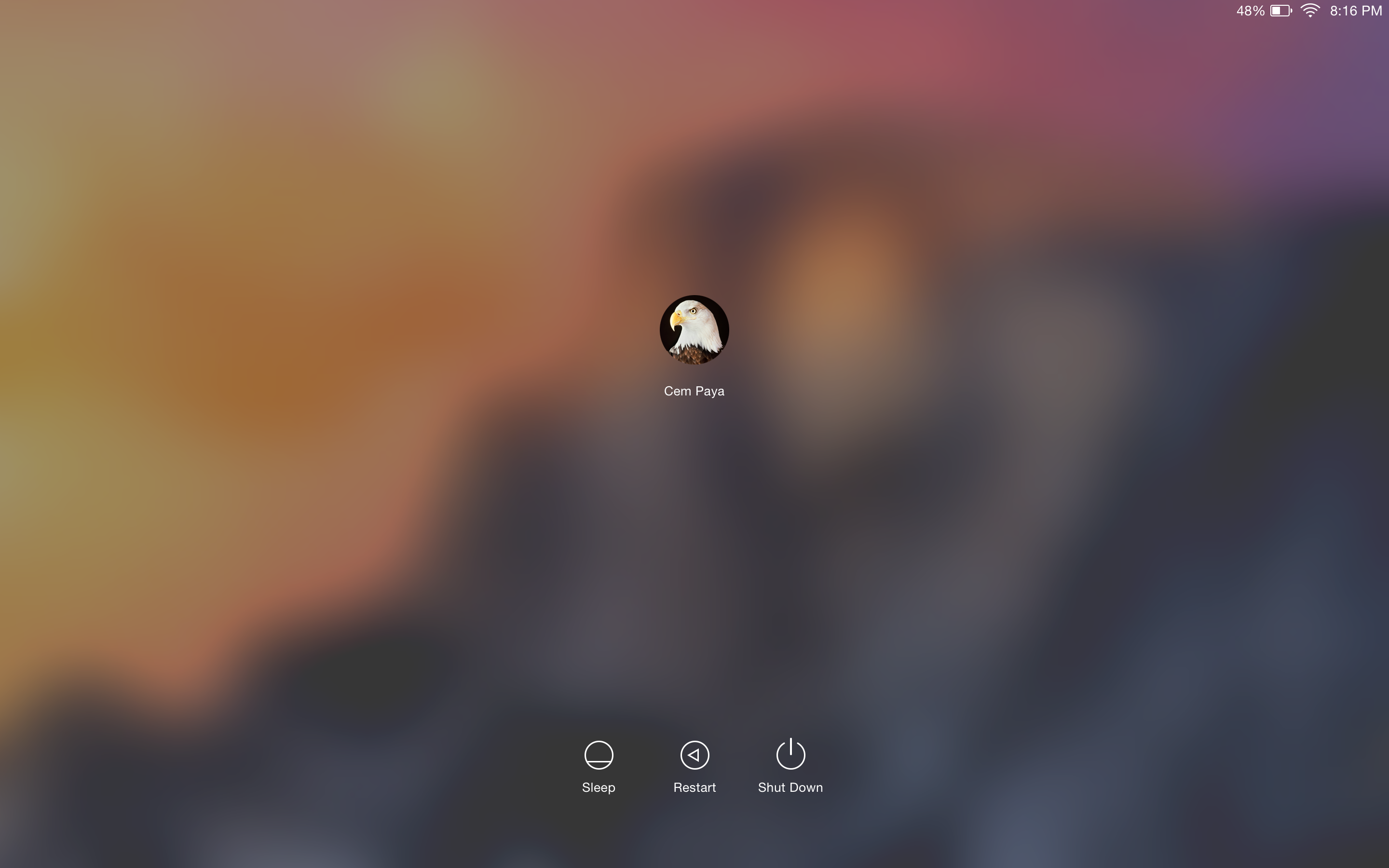
Standard login screen
After a card is connected to the system, the UI updates automatically:
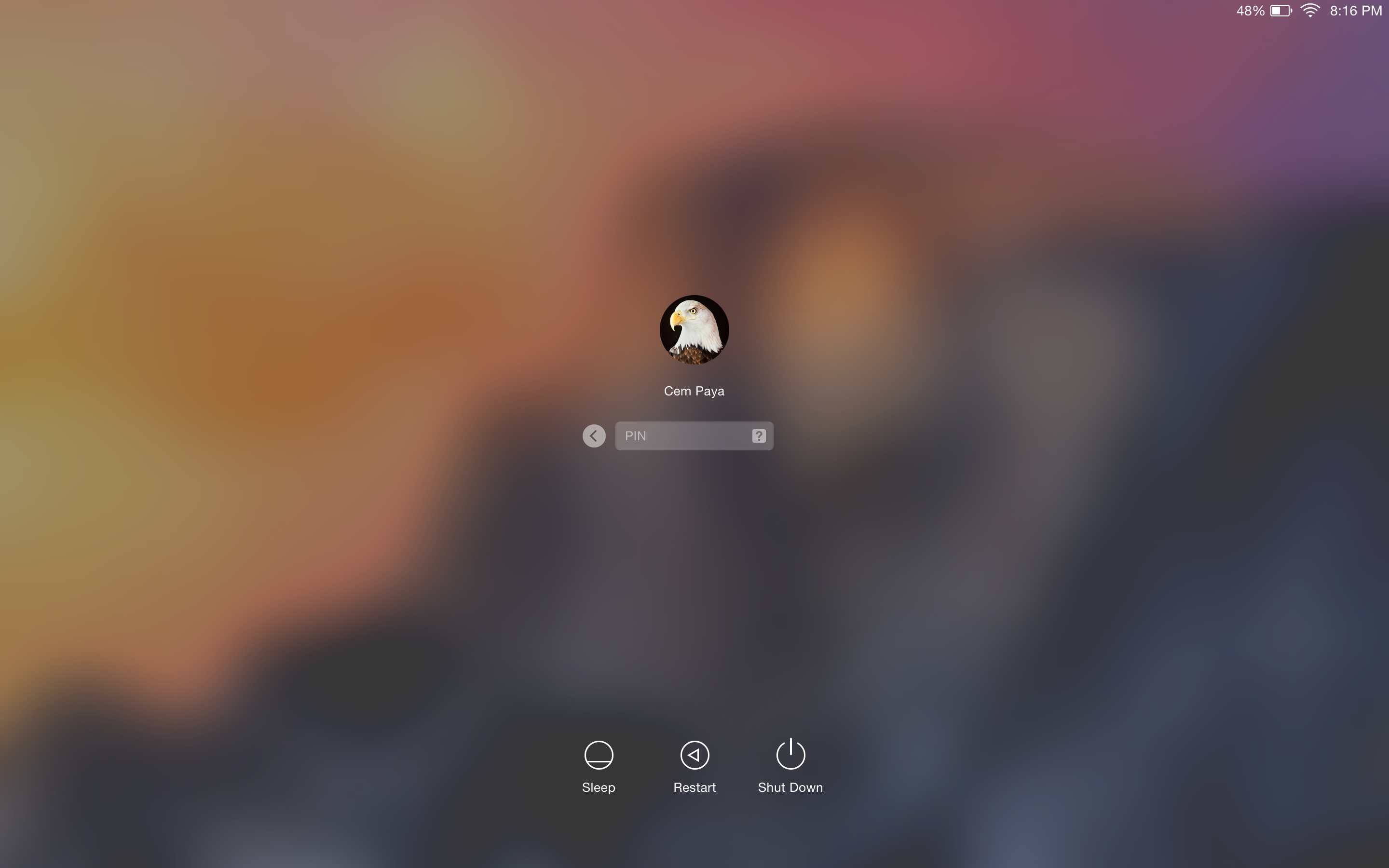
OS X login UI after detecting card presence
Local account mapped to the certificate from the card is chosen, and any other avatars that may have been present disappear from the UI. More subtly the password prompt changes into a PIN prompt. After entering the correct PIN, the system will communicate with the card to verify its possession of the private-key and continue with login as before.
Caveat emptor
- On failed PIN entry, the system does not display the number of remaining tries left before the card is locked. It is common for card standards to return this information as part of the error; PIV specification specifically mandates that. Windows will display the count after incorrect attempts as a gentle nudge to be careful with next try; a locked card typically requires costly intervention by enterprise IT.
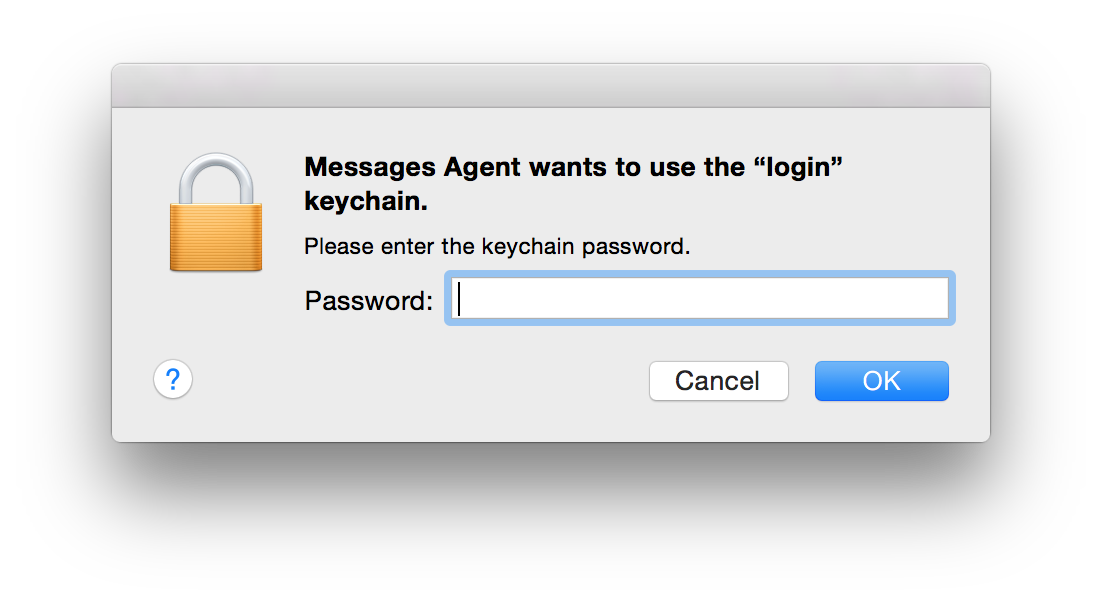
- After logging in, it is not uncommon to see another prompt coming from the keychain, lest the user is lulled to a false sense of freedom from passwords:
 Keychain entries previously protected by the password still need to be unlocked using the same credential. If authentication took place using a smart-card, that password is not available after login. So the first application trying to retrieve something out of the key-chain will trigger on-demand collection. (As the dialog from Messages Agent demonstrates, that does not take very long.)
Screen unlock
Unlocking the screen works in a similar fashion, reacting to the presence of a card. Here is example UI when coming out of screen-saver that requires password:
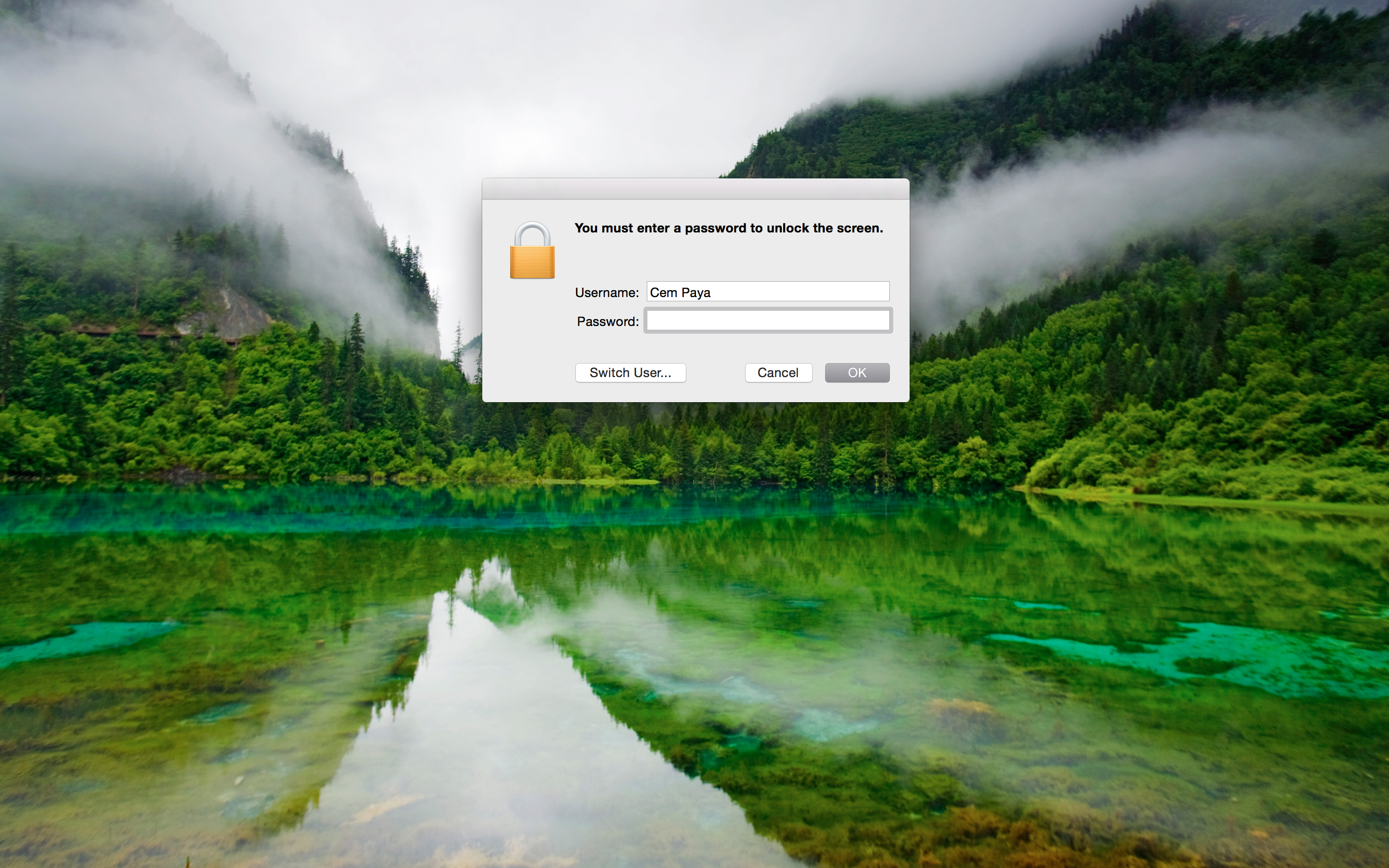
Screen-saver prompting for password
After detecting card presence:
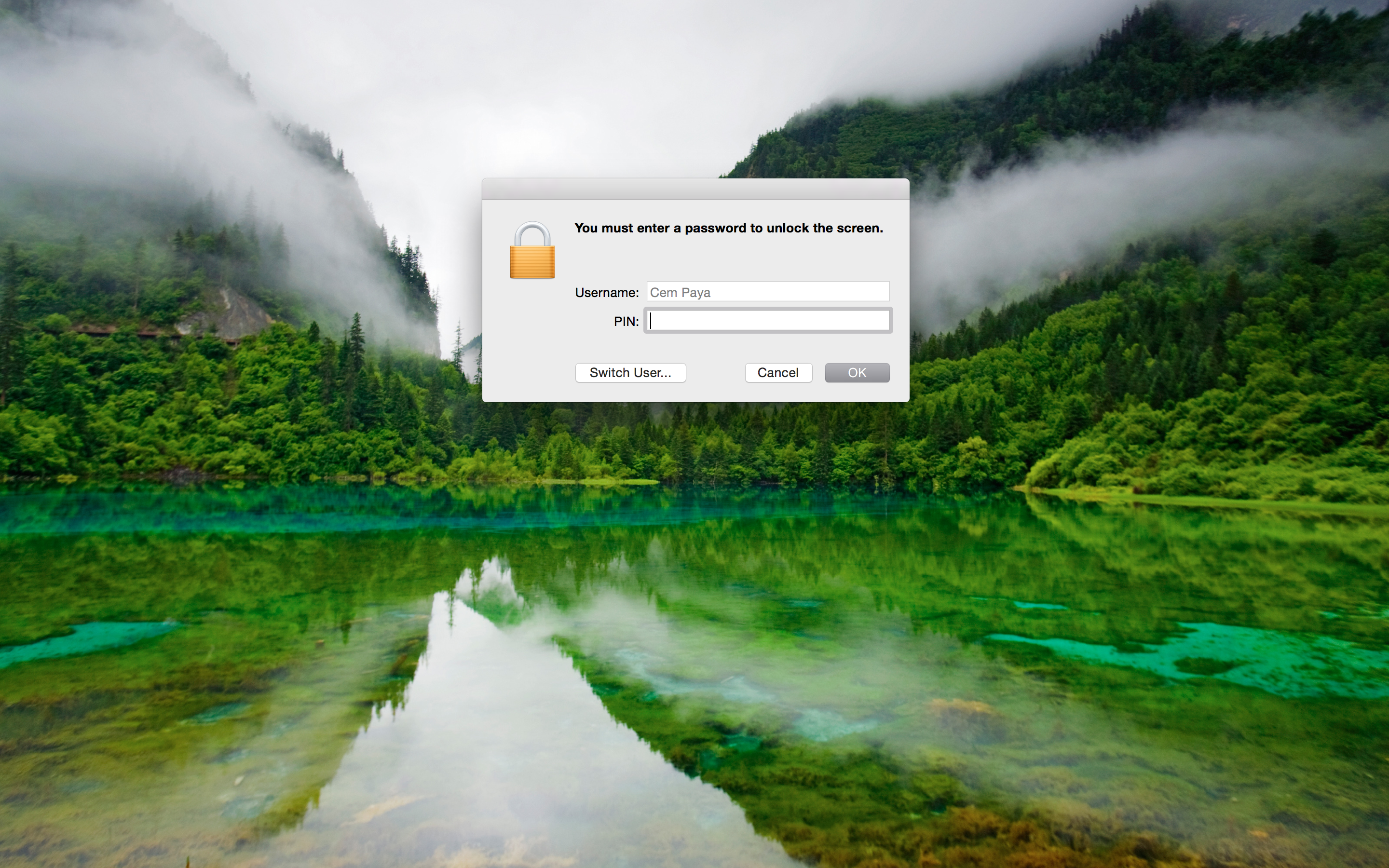
Screen-saver prompting for card PIN
This is arguably the main usability improvement to using smart-cards. Instead of typing a complex passphrase to bring the system out of sleep or unlock after walking away (responsible individuals lock their screen before leaving their computer unattended, one would hope) one need only type in a short numeric PIN.
CP
* In other words OS X places the burden of security on users to choose a random pass-phrase, instead of offloading that problem to specialized hardware. Similarly Apple has never managed to leverage TPMs for disk encryption, despite a half-hearted attempt circa 2006, keeping with the company tradition of failing to grok enterprise technologies.
** MacWorld has a helpful guide for capturing these screenshots, which involve SSH from another machine.
 Random Oracle

You must be logged in to post a comment.