Arduino, TPMs and smart cards: redefining Hardware Security Module

A recent proof of concept proposes using an Arduino as low-cost improvised HSM, store cryptographic keys  for authentication to Amazon Web Services. This is billed as an example of inexpensive commodity hardware disrupting the stodgy HSM (hardware security module) market. This argument slightly blurs the definition of what exactly constitutes an HSM.  The security properties of an HSM can be roughly divided into two categories:

  1. Reduced software attack surface. That is, the external interface for talking to the HSM is limited to the bare minimum, designed to protect against attacks against the integrity of the software. This threat model assumes an attacker has 0wned the box that the HSM is attached to and is free to send any traffic over the same channel. Beyond addresing the obvious concerns (eg sending malformed requests to trigger a memory corruption vulnerability) HSM try to reduce the risk by locking down the platform. For example the OS is typically immutable, with no room for users to install apps, there are no random “value-added” services running or  dubious components such as Java to pose risk even when unused.
  2. Physical tamper-resistance. The hardware itself resists attempts to pry sensitive data such as cryptographic keys out of the HSM, even when bad guys have unfettered physical access. This is a more formidable adversary: he/she can attempt almost every software attack available to the “authorized” machine (modulo attacks requiring credentials, which may not be available when HSM is captured in isolation) But they can also go after the hardware itself. For example crack the casing of the device open, pull out the disk drive or flash memory, and try to directly scrape data from the disk. They could exploit side-channels by measuring timing with high resolutionobserve power consumption or monitor RF emanations during a cryptographic operation. They could even try to deliberately induce faults by operating the chip outside its normal thermal limits, over-clocking  or zapping the circuits with lasers.

A design using the Arduino can meet the first criteria, depending on the quality of the software. While it was never engineered for this purpose, the “secure” option described in the post does appear to lock down the environment. For example the keys injected can not be extracted via standard mechanisms of memory access or JTAG interfaces.

But then again so does a Windows 95 box or ancient Palm Pilot connected to the server with a serial cable. When attackers are limited to accessing the so-called “HSM” from a single interface attached to the server, anything can qualify by running a suitably locked down, minimal crypto application in isolation. That code would be limited to handling a small number of external requests over the serial cable. No web surfing, TCP/IP or even a network connection, no PDF viewers or complex image parsers with tricky logic susceptible to memory corruption errors. More precisely, even if those components exist, they can not be invoked by the attacker. Suspending disbelief, the fact that underlying OS is full of vulnerabilities magically becomes irrelevant because latent bugs are not reachable via the one channel that exists between HSM and the server the adversary controls.

In reality one does worry about temporary physical access, where bad guys get their hands on the device for a “limited time” for some definition of limited. While permanent disappearance of an HSM might be noticed sooner or later, it is perfectly reasonable that devices may become temporarily inaccessible due to a network outage or deliberately taken out of service. That creates a perfect opportunity for attackers to take advantage  physical presence in the data center. Even destructive attacks are fair game: once all keys extracted, attacker can copy them into a brand new HSM of the same model to replace the unit damaged during the attack. The owners will not be any wiser unless they carefully inspect the casing itself.

The Arduino, along with the hypothetical Win95 box and Palm Pilot fail in this model because they are not hardened against side-channel or direct physical attacks. (Although presumably it takes more than attaching a network cable to the Arduino to pop it, unlike the other off-the-shelf devices.)

A Trusted Platform Module (TPM) built into the server is a much better starting point for HSM functionality on the cheap. By virtue of being built into the motherboard, it avoids cabling and hardware placement problems. It is difficult to find servers shipping with these, although HP appears to have produced them at some point. In the spirit of kludges, one could also imagine attaching a smart card reader to the server, with a card permanently inserted. (Much like connecting Arduino sticks with USB cable to racked servers, this would not fly in a real data-center environment.) As with TPMs, these provide a measure of software and hardware security. For quite a few models those properties are rigorously subject to testing by independent labs for Common Criteria and FIPS certifications. They also happen to be much cheaper than an Arduino unit: programmable blank cards can be purchased for a few dollars at high volume.

In fairness, one area where secure execution environments such as TPMs and smart cards have great disadvantage is speed. While they often feature hardware accelerators for cryptography, they are bottlenecked by I/O. Getting data into and out of the chip takes more time than processing it. With round-trip latency measured on the order of milliseconds, these setups are limited to low volume work loads. By contrast an off-the-shelf embedded system can achieve thousands of HMAC operations per second as the Arduino prototype notes. (Use of HMAC exacerbates the problem, because it requires the full message to be passed to the chip that contains the key. With digital signatures, typically one can get away with passing only the hash.)

CP

Inspecting communications from a smart card (2/2)

This post returns to the problem of capturing traffic between a Windows and a smart card and looks at the nuts-and-bolts of logging such communication. A simplifying assumption is that all applications go through PC/SC API to communicate with the card. This is partially enforced by the smart card driver architecture in Windows, as each driver is given a handle to an existing card connection when invoked. But there also exist hardware such as USB tokens, which do not advertise themselves as CCID devices, and therefore are not considered “smart cards” according to the OS. Typically these devices are accessed via proprietary vendor code using a different USB class such human-interface device (HID), by passing the OS stack. The approach described here will not capture such communication.

MSDN documentation on PC/SC API indicates that the functionality is implemented in the winscard.dll binary. Looking at the list of function, a few entry points stand out: connect to the card, transceive (send a command APDU and receive a response APDU in return) and close the connection. For ad hoc experiments, setting breakpoints on these functions and dumping the memory regions corresponding to the input/output buffers would suffice. A sketch of the process if one were walking through it manually:

Continue reading

Strict P3P validation in Internet Explorer 10

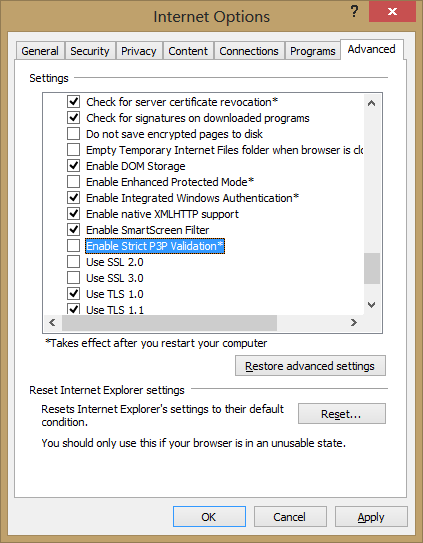
Consider it a shot across the bow, for websites playing fast and loose with P3P by leveraging a quirk of Internet Explorer. Those nonsensical compact P3P policies designed to appease IE privacy settings and keep cookies working may have their days numbered.  IE10, already included in Windows 8 and soon to debut downlevel on Windows 7,  introduces an advanced option for strict P3P validation, buried under Internet Options / Advanced settings:

Strict P3P validation setting

Strict P3P validation setting

There is very little documentation about the feature currently. Closest to an official statement is an article in German from the IE support team. Excerpts from a passable English version:

 “From a technical perspective, some providers use a niche in the P3P specification, which means that the user settings for cookies can be avoided. The P3P specification states (as an attempt to leave room for future improvements to privacy policies), that is not defined policy of browsers should be ignored.
[…]
This setting prevents the exploitation of the aforementioned weakness in P3P standard.”

Curiously the setting is not enabled by default, despite being placed under the security section– subtly implying that checking this box would be good for users. (That classification is itself unusual, since there is already a full tab dedicated to privacy settings.) One can only speculate. MSFT has proven that it will not shy away from a controversy over privacy: IE10 decided to launch with Do-Not-Track feature enabled by default, overruling widespread opposition. But in this case strict P3P enforcement will have limited impact with an opt-in configuration. It is almost axiomatic that most users will not tinker with settings under the hood, which have no obvious impact on the outward appearance of the system– eg colors and  layout. Few will venture anywhere near a setting labeled “Advanced.” Enterprises do often override defaults for managed environments, but this feature is far more meaningful to home users.

MSFT has called out this P3P issue in the past via IE Blog, and offered users an updated Tracking Protection List in response– again a purely symbolic gesture, as the fraction of users reading that post, much less applying the TPL, will be negligible. The new feature could be construed as an initial foray, testing the waters before migrating to opt-out model in a future release. (But that could make for a messy deployment: IE10 has auto-updates enabled by default, but it is rare for an incremental update to modify user settings. That would suggest only new installs get the strict enforcement policy.)

CP

Using the secure element on Android devices (1/3)

As earlier posts noted many Android devices in use have an NFC controller and embedded secure element (SE). That SE contains the same hardware internals as a traditional smart card, capable of performing  similar security-sensitive functionality such as managing cryptographic keys. While Google Wallet is the canonical application leveraging the SE, for  contactless payments, in principle other use cases such as authentication or data encryption can be implemented with appropriate code running on the SE. This is owing to the convenient property that in card emulation, the phone looks like a regular smart card to a standard PC, ready to transparently substitute for any scenario where traditional plastic cards were used. This property is easiest to demonstrate on Windows, but owing to the close fidelity of PC/SC API ports to OS X and Linux, it holds true for other  popular operating systems as well. All of this brings up the question of what it would take to leverage this embedded SE  hardware for additional scenarios such as logging into a Windows machine or encrypting a portable volume using Bitlocker-To-Go.

First a disclaimer: using the phone as a smart card does not require secure element involvement at all There is a notion of host-terminated card emulation: APDUs sent from another device over NFC are delivered to the Android OS for handling at the application processor, as opposed to routed to the SE and bypassing the main OS. This mode is not exposed out-of-the-box in Android even though the PN544 NFC controller used in most Android phones  is perfectly capable of it. Compliments of an open source environment, a Cyanogen patch exists for enabling the functionality. Android Explorations blog has a neat demonstration of using that tweak to emulate a smart card running a simple PKI “applet” except this applet is implemented as a vanilla Android user-mode application that process APDUs originating from external peer.

The problem with this model is that sensitive data used by the emulated smart card application, such as cryptographic keys, are by definition accessible to Android OS. That makes these assets vulnerable to software vulnerabilities in a commodity operating system, as well as more subtle hardware risks such as side-channel leaks. While Android has a robust defense-in-depth model, the secure element has a smaller attack surface by virtue of its simpler functionality and built-in hardware tamper resistance.

With that caveat out-of-the-way, there are two notions of “using the secure element” on Android:

  • Exchanging APDUs with SE, preferably from an Android application running on the same phone.
  • Managing the contents of the SE. In particular provisioning code that implements new functionality such as authentication with public-key cryptography required for smart card logon.

Let’s start with the easy piece first. The embedded SE sports two interfaces. It can be accessed via contact or host interface from Android applications, as well as a contactless interface over NFC, used by external devices such as point-of-sale terminals or smart card readers.  In principle applets running on the SE can detect which interface  they are accessed from and discriminate based on that. Fortunately most management tasks including code installation can be done over the NFC interface using card emulation mode, without involving Android at all. That said it is often more convenient and natural to perform some actions (such as PIN entry) on the phone itself. That calls for an ordinary Android application to access the embedded SE over its contact interface.

Consistent with the Android security model, such access is strictly controlled by permissions granted to applications. Unlike other capabilities such as network access or making phone calls, this is not a discretionary permission that can be requested at install time subject to user approval. In Gingerbread the access model was based  on signature of the calling application; more precisely only applications signed with the same key as the NFC stack. Starting with ICS a new model was introduced based on white-listing code signing  certificates. There is an XML file on the system partition containing list of certificates. Any APK signed with one of these certificates is granted access to the “NFC execution environment,” a fancy term for referring to the embedded SE, and can send arbitrary APDUs to the any applet present on the SE. That includes the special Global Platform card manager, which is responsible for managing card contents and installing new code on the card.

[continued]

CP

Smart card logon with EIDAuthenticate — under the hood

The architecture of Windows logon and its extensibility model is described in a highly informative piece by Dan Griffin focusing on custom credential providers. (While that article dates back to 2007 and refers to Vista, the same principles apply to Windows 7 and 8. ) The MSDN article even provides code sample for a credential provider implementing local smart card logon– exactly the functionality of interest discussed in the previous post. A closer look at the implementation turns up one of the unexpected design properties: they leverage built-in authentication schemes which are in turn built on passwords. Regardless of what the user is doing on the outside such as presenting a smart card with PKI capabilities, at the end of the day the operating system is still receiving a static password for verification. EIDAuthenticate follows the same model. The tell-tale sign is a prompt for existing local account password during the association sequence described earlier. FAQ on the implementation says as much:

A workaround is to store the password, encrypted by the public key and decrypted when the logon is done. Password change is handled by a password package which intercepts the new password and encrypts it using the public key stored in the LSA.

In plain terms, the password is encrypted using the public key located in the certificate from the card. The resulting ciphertext is stored on the local drive. As the smart card contains the corresponding private key, it can decrypt that ciphertext to reveal the original password, to be presented to the operating system just as if the user typed it into a text prompt. (The second sentence about intercepting password changes and re-encrypting the new password using the public key of the card is a critical part of the scheme. Otherwise smart card logon would break after a password change because the decrypted password is no longer valid.)

This is decidedly not the same situation as enterprise use of smart cards. Domain logon built into Windows does not use smart cards to recover a glorified password. Instead it uses an extension to Kerberos called PKinit. Standardized by RFC4556, pkinit bootstraps initial authentication to the domain controller using a private key held by the card. Unlike the local equivalents, there is no “password equivalent” that can be used to complete that step in the protocol. While smart cards may coexist with passwords in an enterprise (eg depending on security policy, some “low security” scenarios permit passwords while sensitive operations require smart card logon) these two modes of authentication do not converge to an identical path from the perspective of the domain controller. For example the company can implement a policy that certain users with highly privileged accounts such as domain administrators, must log in with smart cards. It would not be possible to work around such a policy by somehow emulating the protocol with passwords.

It is tempting to label EIDAuthenticate and solutions in the same vein as not being “true” smart card logon because they degenerate into passwords downstream in the process. While that criticism is accurate in a strict sense, the more relevant question is how these solutions stack up compared to using plain passwords typed into the logon screen each time. It’s difficult to render a verdict here, because the risks/benefits depend on the threat model. In particular, for stand alone PCs the security concerns about console logon, eg while sitting in front of the machine, are closely linked to security of the data stored on the machine. The next post in the series will attempt to answer this question.

CP

Smart card logon without Active Directory

Ever since the prescient Wired declared that passwords are passé, a natural question comes up around exploring alternative authentication schemes. While Windows has historically boasted smart card support since the days of Win2K,  the catch is that capability gets classified under “enterprise feature.” This is short hand for medium or large company, with managed computing environment and dedicated IT staff. Translated into technical  terms, the “managed” requirement implies an Active Directory installation, with centralized servers responsible for administering resources remotely and individual user PCs joined to a domain under the oversight of these servers.

At first blush that rules out consumer scenarios. Most home users do not even have the right edition of Windows to join a domain if one existed. For example, anyone running Windows 7 Home Basic or Home Premium editions is out of luck. For users on a more advanced version of  the OS that meets the prerequisites, a more fundamental problem looms: it requires a Windows server class machine to create a domain. At best home PCs are likely to be members of a home group, introduced in Windows 7. Home groups can be created without a dedicated server and function as rudimentary AD domains, with support for cross-machine authentication and file sharing. But they still lack the more advanced capabilities of an enterprise domain including support for strong authentication.

Shifting our attention to third-party solutions, the picture becomes more complicated:

  • Several custom schemes exist for smart card logon to stand alone computers
  • Caveat emptor: it turns out the benefits for doing that are marginal for the typical home user scenario, when the machine only permits local access.

Control panel screenshot showing new itemIn this post we tackle the first point. EIDAuthenticate is a popular example of freely available third-party solution that permits local logon using a wide range of card types including the European eID cards and US PIV standard. EIDAuthenticate is based on the idea of associating a smart card with an existing local account that has been already setup with a password. After completing installation, a new control panel option appears for configuring smart-card logon, as shown in the screenshot on the right.

Selecting this new option brings up a window with three options, one of which is initially grayed out first time around (“Disable smart card logon”) since the functionality is already disabled. Assuming that we already have a compatible smart card such as PIV, we can choose the first option and follow the setup sequence:

  • Insert/tap a compatible smart card
  • Choose one of the X509 certificates located on the card
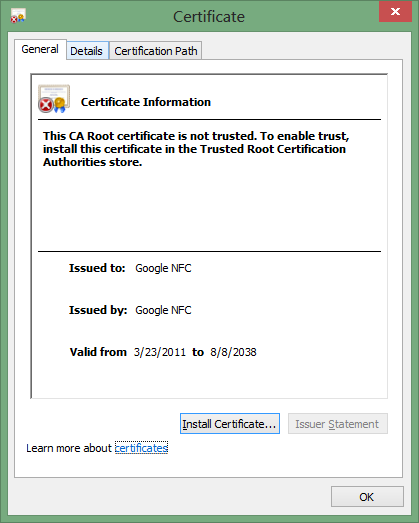
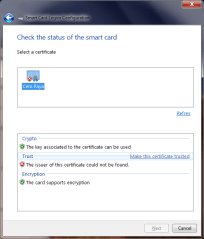
  • Fix any certificate validation errors.  Since there is no prior trust relationship with Active Directory is assumed, the certificate on the card could have been issued by a certificate authority that is not recognized by the machine.
  • Enter current Windows password for the user account
  • [Optional]  Dry run, by simulating a login with the selected card to verify that everything is working as intended. The experience here depends on the card profile. For example in the case of PIV cards, a dialog will be displayed to collect the PIN.
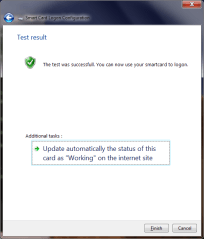
  • On successful completion of the dry run, the control panel displays a confirmation page.

Configure smart-card eID_CheckCertificate SmartCardCheckComplete

After this association is created between a particular card (more precisely, a certificate on that card since there can be more than one usable) that card can be used to login to Windows by selecting one of the “Other credentials” or “Insert smartcard” buttons on the logon screen, or simply inserting/tapping a card to implicitly select the smart card path. Case in point: the screenshots from November post on using Android devices as smart cards were captured on a machine with EIDAuthenticate installed.

[continued]

CP

Inspecting communications from a smart card (1/2)

A previous post featured communication logged in transit to/from the secure element of an Android phone tapped against an NFC reader attached to a Windows 7 machine. This article provides a brief description of how such traces can be obtained, providing a glimpse into the internals of the smart card stack.

To recap the Windows architecture detailed earlier, here is a simplified depiction of  code paths invoked when an application is using a smart card:

Communication flow to a smart card

There are a lot of moving pieces here. Starting from the top:

  1. An application interested in performing a cryptographic operation. Typically this is user land application such as IE or Outlook, although it could be part of the operating system as in the case of Bitlocker disk encryption or winlogon process for login to the OS.
  2. The application calls into platform cryptographic API. To complicate matters, there are two of these in recent versions of Windows: the “legacy” but-not-quite-deprecated CAPI which has existed since NT4 days and the shiny new CNG introduced in Vista.
  3. Depending on which API the application targets, the code paths diverge. CAPI and CNG have different extensibility mechanisms for abstracting cryptographic hardware. The former defines cryptographic service providers (CSP) while the latter has key storage providers (KSP).
  4. But the paths converge again downstream as the smart card module associated with CAPI and CNG itself defines an extensibility scheme based on the same notion of smart card mini drivers.
  5. These drivers communicate with the card using PC/SC  (Personal Computer Smart Card) API. This is a standard initially developed by MSFT and later ported to OS X and Linux with an open-source clone called pcsclite.
  6. Transceive operation in PC/SC in turn results in data being funneled to a device driver for the card reader. Typically this is the CCID class driver in Windows, although some manufacturers also provide drivers unique to their particular hardware.
  7. This kernel mode driver communicates to the card reader hardware using a channel such as USB.
  8. Finally the reader communicates with the card via a physical layer, in this case NFC.

When the objective is observing the way Windows interacts with cards in a given scenario, there is a sweet spot in this stack: between the card driver and PC/SC.  Above that layer, there are no APDUs in the picture, only higher level semantics such as “verify PIN.” Below PC/SC layer, APDUs are encapsulated in lower level protocols which typically fragment them and envelop the content in additional metadata, which will eventually get stripped away by the reader when final APDU contents are being delivered to the card. While one could attempt to reconstruct the final contents closer to the source, this would require special hardware such as the Proxmark for intercepting NFC transmissions or the Smart Card Detective for contact cards. By contrast watching APDUs at the PC/SC layer can be done entirely in software, by intercepting a couple of entry points in the DLL that implement PC/SC.

Side note: certain cross-platform applications such as Firefox do not use the Windows cryptography API, and instead require alternative mechanism such as PKCS11 modules for smart card support. These applications bypass the first couple of layers in the above picture, but still rely on PC/SC for card communication. As such techniques that rely on intercepting PC/SC calls continue to work, in contrast to those operating at the higher layer.

[continued]

CP

NFC tags and authenticating wine

From the random innovations department comes an unusual application of NFC tags: authenticating rare wine bottles. According to the NFC Times story, ClikGenie demonstrated NFC-based solution to the problem of counterfeit wine. The idea is based on embedding tags in the label affixed to the bottle, along with a mobile application running on Android for scanning these tags. The description of target audience is somewhat contradictory: one section suggests that any consumer could verify the certificate of authenticity by scanning the label, but a subsequent paragraph hints at a restricted audience: “The CLIKSecure app itself is available only to designated employees, such as product inspectors.” (Or counterfeiters posing as one in order to reverse engineer the system, one might add.)

This is an interesting use case enabled by the combination of decreasing prices for NFC tags on the one hand, and increased popularity of Android devices with embedded NFC readers. It can be extended to other luxury goods subject to high incidence of counterfeiting. But the design and implementation are fraught with problems.

While technical details are sparse, the article suggests the scheme is relying on the unique ID of the tag. There in lies the first problem. NXP Semiconductors has been clear on pointing out that UID is intended for anti-collision Anti-collision refers to distinguishing between multiple tags present in the range of an NFC reader. When the reader turns on the RF field, all tags will be activated and start responding back. UID permits separating these responses. It was not intended as a way to authenticate a tag with any degree of assurance. While genuine Mifare tags do not permit overwriting the UID assigned at factory, counterfeit tags allows setting UID arbitrarily. This effectively “clones” the tag from the perspective of any application relying purely on UID.  Given that tags with cryptographic protection such as  Ultralight-C or Mifare classic are only marginally more expensive, not to mention the scanning device likely has Internet connectivity, the standard Mifare authentication could have been proxied. (Granted the original Mifare cryptography is broken, but the cost of an attack is higher than programming a bogus tag with same UID.)

The second issue is that tags can not authenticate wine per se, because it is relatively easy for the precious contents and their container to part ways. In fact it does not even authenticate the bottle, because the tag is part of a label affixed to the bottle. The article already points out that moderately sophisticated counterfeiting operations “… might remove an authentic label and place it on a bottle with a similar shape.” So the risk of replenishing an authentic bottle with cheaper wine already exists, and could impact the resale market. Suppose a bottle is purchased by consumer Alice and a few years later after it has appreciated in value, she wants to sell it back. Is it the original wine or was it replaced? Meanwhile the bottle and its label are still intact, and the tag will continue to authenticate.

At best the scheme only prevents Alice from scaling this fraud and creating many copies from one bottle. Such cloning can be detected if scanned UIDs are transmitted to an online service for reconciliation, where new entries are compared against existing ones in the database. (Although we have to account for the legitimate resale scenario where Alice scans the tag, then makes an honest sale to Bob who also insists on scanning the tag to verify the product.) Indeed the article implies the presence of such checks, involving a unique ID assigned to the phone and its GPS location. But even this reasoning is dubious, as it assumes everyone is using the application and diligently scanning every bottle. The final irony is that NFC is not required to prevent cloning when there is an online service keeping track of all observed labels. QR codes or plain serial numbers printed in digits would be equally effective. Sure they are easier to clone than NFC tags. But the cloud will notice any duplicate entries just as quickly, with no fancy hardware or mobile apps required. If anything  removing the need for specialized hardware could increase the chance of locating clones because more people are able to report on their inventory.

The choice quote:

“[…] CLIKSecure’s partners are working with customers in the luxury apparel and wine industries, though he declined to name any clients, he said, for fear of alerting counterfeiters.”

Because criminals can’t buy their own Android phones to check for tags before counterfeiting some object?

CP

Observing Windows smart card discovery in action

The previous post described how Windows picks drivers for unfamiliar smart cards. The low-level operation of that process can be observed by looking a trace of the communications occurring when the system encounteres an “unfamiliar” type of card, such as an NFC-enabled Android phone  in card-emulation mode.

First, some background on the host to card communication. The logical format for exchanging data with a smart card is the Application Protocol Data Units, or APDU for short. These can be viewed as the analog to packets in a networking protocol. These building blocks come in two variants, command and response. Usually cards operate in passive mode: the host initiates communication by sending request APDUs, cards reply with response APDUs. (There are a few exceptions to this model such as SIM application toolkit, when the card is calling the shots.) Basic structure of APDUs were defined in ISO7816 part #4. For a request APDU, there are a few mandatory bytes at the beginning with special significance defined by the standard, such as the instruction type and parameters. That header is followed by a variable length payload upto 256 bytes. The logical structure of the payload itself is completely up to the card application to define. In practice compact binary encodings such as ASN1 with BER are de rigeur. Response APDUs have even less structure. Two bytes at the end are reserved for a mandatory status word. These are preceded by an arbitrary response payload, also capped at 256 bytes. ISO7816 defines categories of status words corresponding to succesful operations as well as a litany of error codes.

For completeness, it’s worth mentioning that later updates also introduced extended length APDUs. These allow sending/receiving upto 64K of data at once. The catch is that support for extended length is not universal in card operating systems. Windows follows a least-common denominator approach and the built-in PIV/GIDS drivers do not use this feature. Neither does the discovery process, but it would have made little difference given that only small amounts of data are exchanged, as the trace reveals. In the case of the secure element in Android, support depends on the interface. It is possible to send extended length APDUs over NFC but not over wired interface from the Android side.

With that background, we can look at an APDU trace. This contains raw APDU dumps from three identical rounds of discovery on the Android secure element. A couple of differences from the driver specification jump out in the trace. The first request/response pair goes according to expectation, an attempt to select the  MSFT-defined discovery applet by its AID. Status word 6A82 means file not found in ISO7816 error codes. So far so good. But the second request/response attempts to obtain the device ID record from the non-existent applet. This is strange to say the least. If an application does not exist, it is hardly reasonable to ask that application to perform additional tasks. Instead the command was routed to the currently selected applet, which happens to be the Global Platform card manager. Luckily the card manager had no information associated with the proprietary Windows tag and returns an error corresponding to “referenced data not found” instead of returning some unrelated object that could have confused the discovery process.

Windows next proceeds with trying to select the PIV applet by its AID. Here is another divergence from the discovery spec: attempt to select the master file is skipped, in favor of directly looking for PIV. After getting another 6A82 it tries the same with GIDS by using that AID.  These well-known AIDs are documented in appendix D of the driver specification.) Because no GIDS applet exists on this stock Android device, Windows gives up at this point and falls back to using the ATR historical bytes to construct a device ID. All of this happens in less than a tenth of a second, barely perceptible compared to the time required for users to move the phone into the RF field.) While this is not reflected in the APDU trace, the OS would have checked for a driver at Windows Update using that identifier. Since there is none published for the Android embedded secure element, the discovery process concludes with the driver installation error observed in the experiment.

Next post will briefly discuss how this APDU trace was obtained.

CP

Quick primer on the Windows smart-card stack (3/3)

In the final post of this three-part series, we will discuss the discovery mechanism. The definitive reference on this topic is the smart card mini driver specification at MSDN. Here only a few points will be highlighted.

There are two slightly different notions of “discovery” involved in smart cards:

  • Mapping a card to an existing driver when the card is presented to the system. In this situation drivers are already installed but the
  • Installing an appropriate driver when a new type of card is encountered for the first time. This is the analog to “plug-and-play” technology for smart cards. PnP allows connecting a peripheral such as printer to the PC and having that device automatically get recognized as the appropriate model and configured for use. Gone are the days of manually installing software from CDs shipped by the manufacturer. (Not that hardware vendors seem to have gotten that memo, since packages usually include a CD with proprietary software that installs the drivers.)

Appendix D in the driver specification describes the steps involved in each of these processes. For the case of plug-and-play, the overarching goal is to obtain a device ID which can be used to query Windows Update for the appropriate driver corresponding to that hardware.

  1. The system first attempts to locate a proprietary smart-card plug-and-play applet on the card, with functionality defined by MSFT. If that applet exists, it can be queried for a particular object containing the device ID.
  2. If PnP applet does not exist, Windows tries selecting the master file (MF) on the card and later the EF.ATR object to derive the ID from these sources.
  3. If that also fails, the smart card stack goes into guessing mode, trying to locate PIV and GIDS applets in that order.
  4. If the card does not support either of these profiles, a final attempt is made to construct device ID from the historical bytes portion of the ATR.

For subsequent driver selection, there are three paths:

  1. By card ATR. A mapping in the registry allows associating a particular driver with all cards returning a specific. (ATR matching can be done partially, by specifying an associated bitmask. This allows covering all cards with a particular prefix for example.)
  2. If no explicit registry mapping is defined, Windows next consults a cache of ATRs for cards previously identified as having PIV and GIDS applets. (This mapping is also maintained in the registry.) In this case ATR matching is exact.
  3. In case the cache does not help, the system goes into guessing mode, trying GIDS and PIV AID in that order– note this is the opposite order used during plug-and-play installation.

One important difference in Windows 8 is that when no driver is found, the card is associated with the null driver. That is a “steady state” and requires manual override to associate the card with a different driver. By contrast Windows 7 would repeatedly attempt to perform PnP discovery on the same card.

CP