Is it possible to create an application that behaves differently based on which website it is downloaded from? At first glance, this seems impossible if the problem is interpreted strictly: the downloaded content must be identical byte-for-byte. (It would be trivial if each site was allowed to alter the contents.) The success criteria could be summarized as:
- Serve the application from original URL #1.
- Copy the downloaded file and mirror it from another URL #2.
- The application behaves differently when downloaded from the mirror compared to the original location.
Recap: dark ages of web security & mark-of-the-web
Zone of naivete
In the late 1990s when the web was taking off, Microsoft’s web-browser Internet Explorer security model was predicated on a laughably over-simplified division of the world into zones. While one could define custom zones, there were 5 built-in:
- Local machine
- Intranet
- Trusted sites
- Internet
- Restricted sites
Browser security policies were then configured based on zone. Consider ActiveX controls: arbitrary, unconfined native Win32 code that runs with full privileges of the user— which on most Windows installations meant administrator—and could wreak havoc on the machine. What happens if the user visits a webpage trying to run an ActiveX control? If that page hails from the friendly territory of the internal enterprise network (aka “intranet” zone) no problem: run the code, no questions asked. But a random website out on the wild-wild-web (aka “internet” zone) would require more caution: the user must click through a cryptic modal dialog with information about Authenticode signatures before allowing that code to execute.1
While this model “works” in the rudimentary sense intended for content rendered inside the browser, it poses an obvious problem with downloaded attachments. Suppose the attachment malware.exe is downloaded first and later opened from the Windows shell called “explorer” (which naturally bequeathed its name to the web browser, following MSFT’s creative naming conventions.) In principle the same zone-based distinctions should apply to the user experience: whether any warnings are shown and what type of scary language explains the consequences of proceeding with the decision to open the file should be a function of whether the file originated from the friendly confines of the corporate intranet or the terra incognita of the dangerous internet.
Mark-of-the-web
This is the problem mark-of-the-web (commonly abbreviated MoTW) solves. Whenever a file is downloaded, IE saves additional metadata about that file, including its origin URL and zone mapping.2 How this is done without altering the contents themselves and guaranteeing the metadata is permanently attached to the file is nonobvious. If IE simply wrote a second hidden file in the same directory, the connection would be severed as soon as the user copied the original file—the only file that the user is aware of— to another directory. Instead MoTW leverages an ancient feature of the NTFS file-system: each file can have multiple “alternate data streams.” Most files only have one stream: the default one which we normally consider as the contents. But additional streams can be created to store arbitrary data, without altering the original content. (Linux has extended attributes, MacOS has a similar concept as well as named forks.) MoTW uses a specific data-stream to store the information about the provenance of the file when it is downloaded, preserving that context for future security decisions.
Leveraging MoTW: from PoC to defense-in-depth
Introspection with MoTW
While MoTW is intended for the operating system and other origin-aware applications such as MSFT Office to make security decisions, an executable can also access its own MoTW. This is the basis for a proof-of-concept with a simple Win32 GUI application:
- Downloaded from Github and executed, it displays a “Hello world” message.
- Downloaded from another location it will instead display an error message about unrecognized origin.
Both files have the same SHA256 hash: 002d0bdbaaad909c8a6b49939b7f19ed8e897debce7aceb82732c2d590359bf2
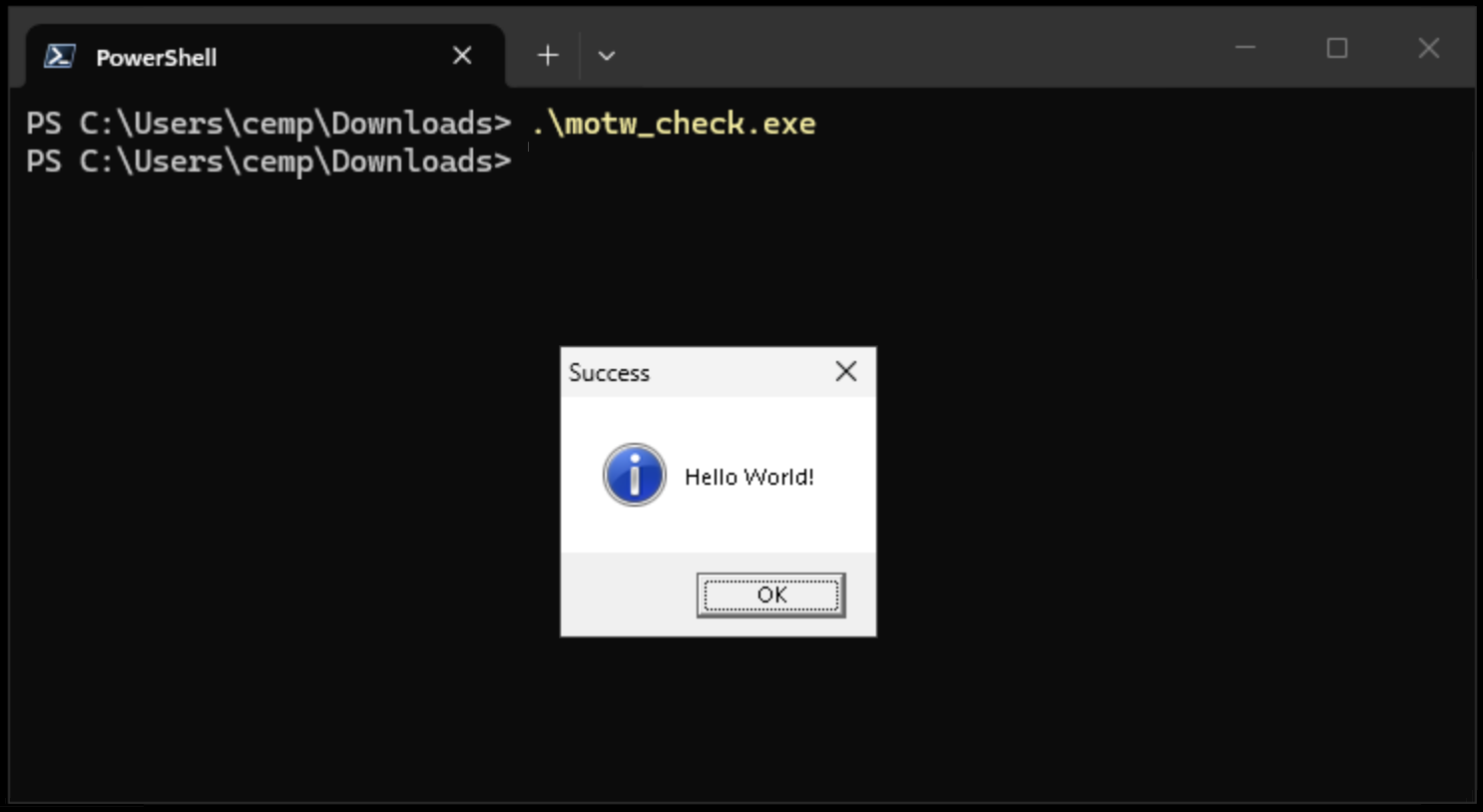
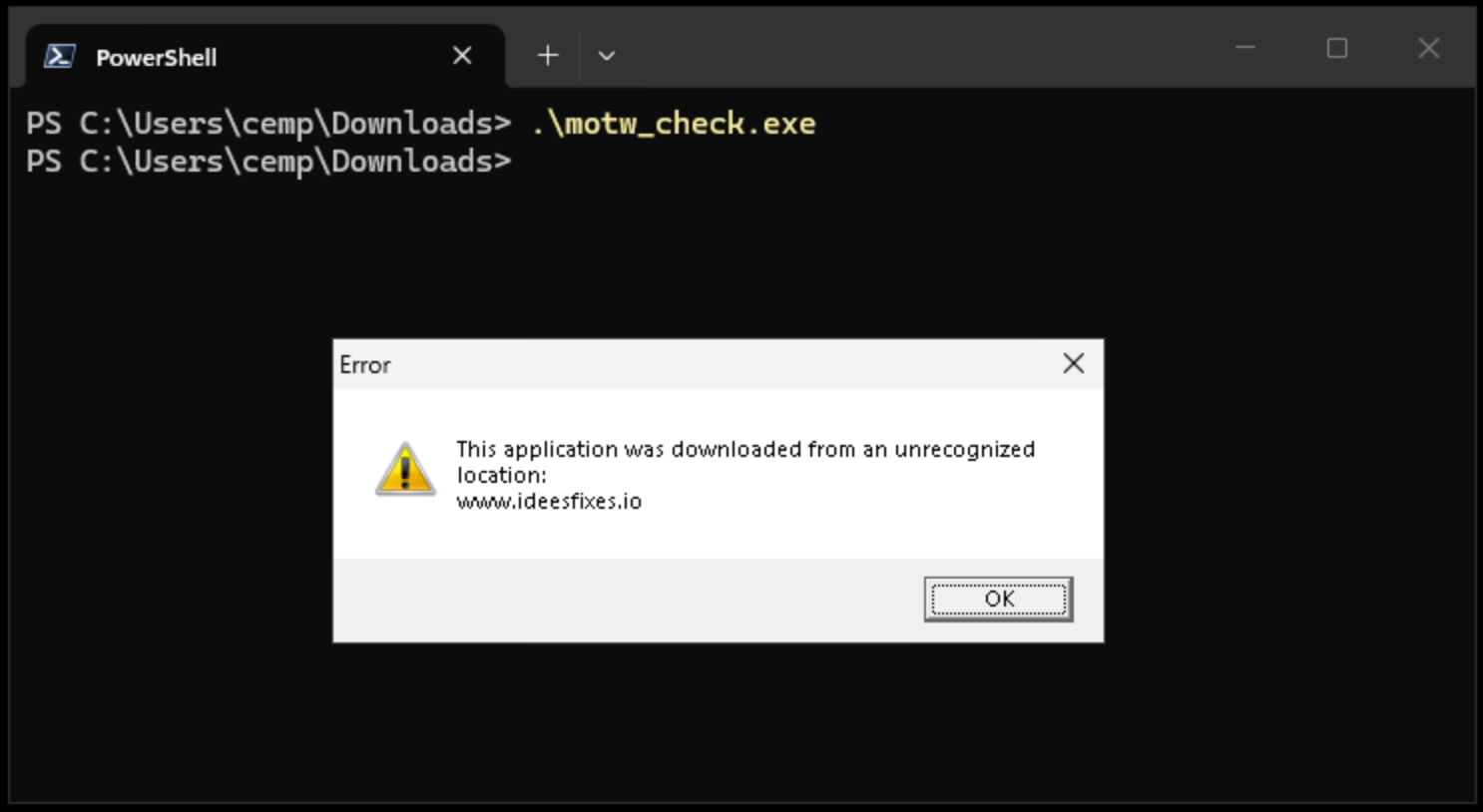
(One caveat: because this executable does not have an Authenticode signature, SmartScreen can interfere in the demonstration. Clicking through the SmartScreen warning to continue to run the executable will delete the mark-of-the-web, and replace it by a different alternate data stream used by ScreenConnect. That behavior is by design; it is intended to avoid repeated warnings when the user has already indicated a binary is safe. To avoid such interference, simply open a terminal window and directly execute the binary from a command line instead of going through the Windows shell.)
This meets the criteria outlined in the introduction for an app with behavior conditional on distribution point. Before discussing a more realistic scenario where such tricks can be useful, it is important to recognize the limitations around threat model: MoTW can be trivially tampered with or deleted by the user. It is not authenticated. (Although the URL itself may contain a signature that the application can verify, since query-string parameters allow attaching arbitrary data. But in the same threat model the user can also tamper with the binary itself, since we are assuming write-permission to the file.) That means it cannot be relied on to implement arbitrary policies against the machine owner, such as enforcing license restriction on software.
Malicious repurposing of dual-use apps
Recall the case of ScreenConnect from 2025: ScreenConnect is a dual-use remote control application published by ConnectWise, ostensibly intended for IT departments to manage their fleets. Due to a combination of dubious design decisions and own-goals from ConnectWise, it turned out ScreenConnect had become very popular with threat actors using authentic, signed installers signed by ConnectWise to take over the PCs of unsuspecting consumers and hijack their accounts. The attackers’ modus operandi involved sourcing legitimate installers from ConnectWise, modifying some “free form” data without invalidating the Authenticode signature and serving these malicious installers from their own website, under a different pretense. For example, in the campaign picked apart here, it was renamed RiverDesktop.exe to impersonate a non-existent desktop application for River Financial.
Had the ScreenConnect installer used MoTW introspection— or really, any type of introspection, starting by looking at its own name— it could have easily detected this repurposing and refused to proceed with the installation. Even an installer customized to trust a malicious distribution URL specified by the attacker would have gone a long way to minimize blast radius: malicious sites are taken down quickly and attackers rely on being able to cycle through multiple look-alike domains in a game of whack-a-mole with defenders. An installer that does not care about its distribution point can be served from any host; one pinned to a specific distribution point is useless after the first abuse report.
Despite the previous caveat around users being able to tamper with the MoTW, there are three reasons why this mitigation still works for this specific threat-model:
- What matters is that the remote attacker serving malware can not tamper with the MoTW. It is the user’s own trusted web browser— Chrome, Edge, Firefox, Safari etc.— that dictates the contents of that alternate data stream. While the attacker can register any domain and serve the malicious binary from a URL of their choice, an MoTW will still be created and that URL reflected verbatim.
- The user has no incentive to remove the MoTW or otherwise tamper with it. Recall the attack depends on tricking the user to downloading and running what they believe is a legitimate application. A user could fire up Notepad and edit the ADS containing MoTW, but the attacker has no way to make that happen.
- Attackers can not tamper with the installer to remove MoTW introspection, without greatly undermining the persuasiveness of their scam. Recall that any alterations to the binary would invalidate the original software publisher’s Authenticode signature on the binary. These scams work precisely because Windows extends trust to code signed by ConnectWise, a reputable vendor of enterprise IT applications. An invalid signature or unsigned application will throw all kinds of additional warnings. (If the attackers did not care about the trust inherited from the signature, they would not have any reason to bother with ScreenConnect. They could have used any number of purpose-built, malicious RAT applications available for sale on the dark web.3)
CP
1 Later versions of IE tried to improve security by making it more and more difficult to run ActiveX controls. For example instead of the modal dialog which required an explicit yes/no decision, the user would have to notice a subtle notification above the status bar indicating that the page wants to run a control.
2 Note the obvious TOCTOU issue here: if the zone mappings are changed, the metadata will still reflect the original categorization.
3 Sure enough, in the 2026 iteration of a similar campaign, they were observed using code-signing certificates handed out by MSFT’s own ID verification CA. This frees them from having to use “factory-original” ScreenConnect binaries and in theory allows modification of the vendor logic.
 Random Oracle