Getting by without passwords: encrypted email

[Part of a series on getting by without passwords]

The final post in this series takes up the problem of securing email traffic without relying on the security of user-chosen passwords.  There are two aspects to protecting email:

  • Confidentiality: guaranteeing that only the intended recipients can read the contents of a message (Even when the message itself is transiting through untrusted networks, as email delivery is based on store-and-forward paradigm.)
  • Authenticity: for the recipient to be certain that an incoming message indeed originated with the purported sender.

Public-key cryptography is well suited to serving both of these objectives. At a high-level authenticity is provided by the sender digitally signing the message with their private-key, while confidentiality is assured by encrypting the message using the public-key of each recipient. But the devil is in the details, and over the years  many protocols/formats/standards have emerged around how exactly these operations are done, differing both in cosmetic ways- how the bits are laid out- and fundamental assumptions around key management. To keep the discussion tractable, we focus on two of the more popular formats in widespread use: S/MIME and PGP.

S/MIME and PGP

“The nice thing about standards is that you have so many to choose from.” — Andrew Tannenbaum

Not surprisingly there is more than one way to secure email, and each one has taken hold in different niche markets. PGP came first, S/MIME is the more enterprise-oriented format. Chronologically it arrived after PGP and was first codified by RFC 2633, building on formats. The differences between PGP and S/MIME can be grouped into two categories:

  • Superficial/cosmetic: PGP defines its own home-brew format for messages and keys. S/MIME uses the cryptographic message syntax (CMS) format for messages and X509 for carrying keys, which is in turn built on ASN1.
  • Philosophical/trust model: This is a more significant difference in approach to establishing trust in keys. Recall that sending an encrypted email to Alice requires having her public-key ahead of time. That boils down to the basic questions: where do you look up Alice’s public-key? When someone presents a key that purportedly belongs to Alice, how do you go about verifying that?
    S/MIME assumes a public-key infrastructure or PKI mediated by trusted third-parties. Everyone receives digital certificates from these parties and can verify other credentials by reference to the same. PGP relies on a more grass-roots web of trust, with users exchanging keys in person or leveraging social networks by trusting existing contacts to vouch for each other.

Easy case: S/MIME

Because S/MIME is associated with enterprise/managed IT scenarios- think Windows shop running an Exchange server in-house and users accessing their email via Outlook clients- there is already plenty of precedent for using smart-cards to protect email. Outlook itself has supported S/MIME for 15+ years and Windows cryptography architecture abstracts away key-management from applications. As far as the application is concerned, same code paths are executed to sign/decrypt when the private key resides on local-disk or when that key lives on a smart-card that must be invoked to perform the operation itself. The operating system and underlying layers take care of the difference: for example cryptographic hardware can appear/disappear based on user actions of connecting/disconnecting it, some cards may require a PIN to authorize user actions etc.

Hard case: PGP

To this day PGP decidedly remains an “enthusiast technology” (to put it politely) voluntarily used by individuals instead of mandated by enterprise IT settings. Because use of cryptographic hardware by consumers is exceedingly rare, PGP keys are almost always managed in software and migrated to new devices via awkward import/export mechanisms. But there was an attempt dating back to 2004 at standardizing support for hardware tokens with the OpenPGP card specification.

It sounds promising: while S/MIME is silent on low-level key management interface or exact behavior of cryptographic hardware to manager user keys, OpenPGP Card attempts to prescribe in exacting detail exactly how such devices shall operate and what features they must support.

In reality, that turns out to be a bad idea.

How to limit future options: pick a card-edge

With OpenPGP Card, the system has committed to low-level details of a card. It is not just expressing baseline requirements (such as “must support RSA up to 2048-bit keys”) or describing a high-level interface for invoking  functionality on the card. It prescribes low-level details about how the host and card communicate over the PC/SC interface as well as exact organization of data stored on card. Why is that too restrictive? For starters, let’s start with the concept of “card.”  While smart-cards and most USB tokens indeed go through PC/SC (after all it stands for “Personal-Computer-to-Smart-Card”) there are other types of cryptographic hardware such as HSMs or even TPM which are not “cards” as far as the operating-system is concerned.**

Even restricting our attention to cards, standardizing on the low-level interface to the card creates unnecessary incompatibility over superficial implementation details. By focusing on low-level wire protocol, GPG has limited itself to working with exactly one card application. Yet many standards have been introduced over the years for card-based applications: eID for electronic ID in the EU, CAC and later PIV for government employees in the US, GIDS for enterprise authentication, to name a handful. Many of them contain a superset of functionality required for PGP: generate key-pairs on board, perform private-key operations, store public-keys, use PIN for authorization etc. They exceed those requirements and improve on baseline by supporting  multiple key-sets and elliptic-curve algorithms not originally envisioned by OpenPGP. With the exception of GIDS, they are also far more popular compared to PGP cards, produced in higher-volume with multiple suppliers benefiting from economies of scales. Yet none of these are usable for PGP directly, because of cosmetic differences in how their functionality is packaged into low-level commands.

Compare this to how SSH authentication integrates cryptographic hardware. There is no such thing as “OpenSSH Card.” Instead the implementation uses an existing abstraction layer for cryptographic hardware, namely PKCS #11. Any vendor that manufactures cryptographic hardware with the right features can write a PKCS11 module to package those features into a standard interface and compete in the market for hardware-based SSH authentication. In practice they don’t even need to write that module, because volunteers have already solved that problem: OpenSC ships a module with support for an impressive variety of cards. Another open-source packages SimpleTPM-PK11 allows using the TPM for managing keys. On the proprietary side, HSM vendors such as Safenet and Thales ship their own PKCS11 module written in-house to work with their specific model. As a result SSH authentication for both client and server side can take advantage of a variety of hardware offerings. To pick two examples: this blog covered using PIV tokens for SSH, others explored leveraging the TPM.

Restoring the abstraction layer

Luckily there is a solution that allows bringing that diversity of hardware to PGP: gnupg-pkcs11. This project is dated and by all appearances unmaintained— generally a red-flag increasing the chances of incompatibility caused by software rot. (Hosting source-code on Sourceforge is another red-flag considering the company was found to tamper with binaries. Luckily packages are available in upstream repos for major distributions such as Ubuntu.)

gnupg-pkcs11 replaces the GPG smart-card deemon with a new implementation that makes no assumptions about the “card” but instead calls into an existing PKCS #11 module for cryptographic functionality. Specifying this module as well as which keys on the card to pick (since a “token” in PKCS #11 model can have multiple keys) is done with configuration files. This part can be tricky, so here is a walk through of steps outlined in the man page.

Configuration

1. Replacing the smart-card daemon

First step is instructing GnuPG to use a different smart-card agent and specifying the application to use when prompting for a PIN. These lines appear in gpg-agent.conf, typically located in “.gnupg” folder under the user home directory.

scdaemon-program /usr/bin/gnupg-pkcs11-scd
pinentry-program /usr/bin/pinentry-qt4

2. Configuring the new daemon

Next step is configuring gnupg-pkcs11-scd itself. This is best done in two stages because the file contains friendly key identifiers which are not available at this point. Easiest way to discover them is by asking gpg-agent, which in turn invokes the smart-card daemon. A minimal configuration file gnupg-pkcs11-scd.conf pointing at the PKCS #11 module is sufficient to bootstrap that process:

# List of providers
providers p1

# Provider attributes
provider-p1-library /usr/lib/x86_64-linux-gnu/opensc-pkcs11.so

With that in place we can query the card for key identifiers:

$ echo "SCD LEARN" |\
gpg-agent --server gpg-connect-agent |\
grep KEY-FRIEDNLY
S KEY-FRIEDNLY EB1391B66C49F44859D1CF81BB97882E32154A2B /C=US/ST=CA/L=\
San Francisco/O=Widgets Inc./OU=Randomization/CN=Cem Paya/emailA\
ddress=notcem@nothere.net on PIV_II (PIV Card Holder pin)

(Note the misspelling “friednly” [sic] for friendly identifier.)

The output contains the distinguished name from each certificate discovered on the card, along with SHA1 hash of the public-key highlighted in red above. In this example there is just one certificate present, although a PIV card will typically contain up to four active certificates. Now SHA1 hashes can be used to indicate which keys are used to secure email by adding another section to gnupg-pkcs11-scd.conf:

emulate-openpgp
openpgp-sign EB1391B66C49F44859D1CF81BB97882E32154A2B
openpgp-encr EB1391B66C49F44859D1CF81BB97882E32154A2B
openpgp-auth EB1391B66C49F44859D1CF81BB97882E32154A2B

This example is cutting corners by using the same key for signing and encryption which is suboptimal. A more realistic mapping would pick the PIV non-repudiation slot for signatures and PIV key-management slot for encryption.

3. Registering the keys with OpenGPG

The final step is making GPG aware of keys on the card. This involves going through the card-edit menu and invoking the “generate” option. The command name is misleading because new keys will not be generated on the card. (Similar to “ssh-keygen -D” retrieving existing keys from a hardware token, not generating new keys or otherwise altering state of the token.) Instead the replacement daemon returns existing public-keys on the card specified by SHA1 hashes above. GPG then combines those keys with additional information prompted from the user such as email address, expiration and proper name. In effect this step synthesizes “PGP keys” with their own meta-data out of existing key-pairs present on the hardware token.

Caveat: While the man page recommends disabling opengpg emulation after this step, in the experience of this blogger gnu-pkcs11 only works successfully in emulation mode.

User-experience

Putting it all together, here is sample of UX for private key operations.

Linux

Suppose we try signing a message from the command line:

echo "Hello world" | gpg2 -as

Assuming the token is connected, a system-modal dialog  appears:

Screen Shot 2016-02-21 at 08.34.55.png

Qt4 PIN collection prompt

If we instead specified pinentry-gtk-2 in the configuration file, that UI would look like:

Screen Shot 2016-02-21 at 08.42.26.png

GTK-2 PIN collection prompt

After entering PIN, the signature operation is performed by the hardware token. Remaining steps are identical to the flow for software keys- the signature is formatted by gpg and output to console.

OSX

Surprisingly gnupg-pkcs11-scd also runs on OSX. GPGTools is a user-friendly implementation of PGP (as judged by the low standards of open-source software) and provides keyboard shortcuts and context-menu for decrypting text highlighted in any application. For example, decrypting in a web browser can be initiated by selecting MacPGP from the Services menu:
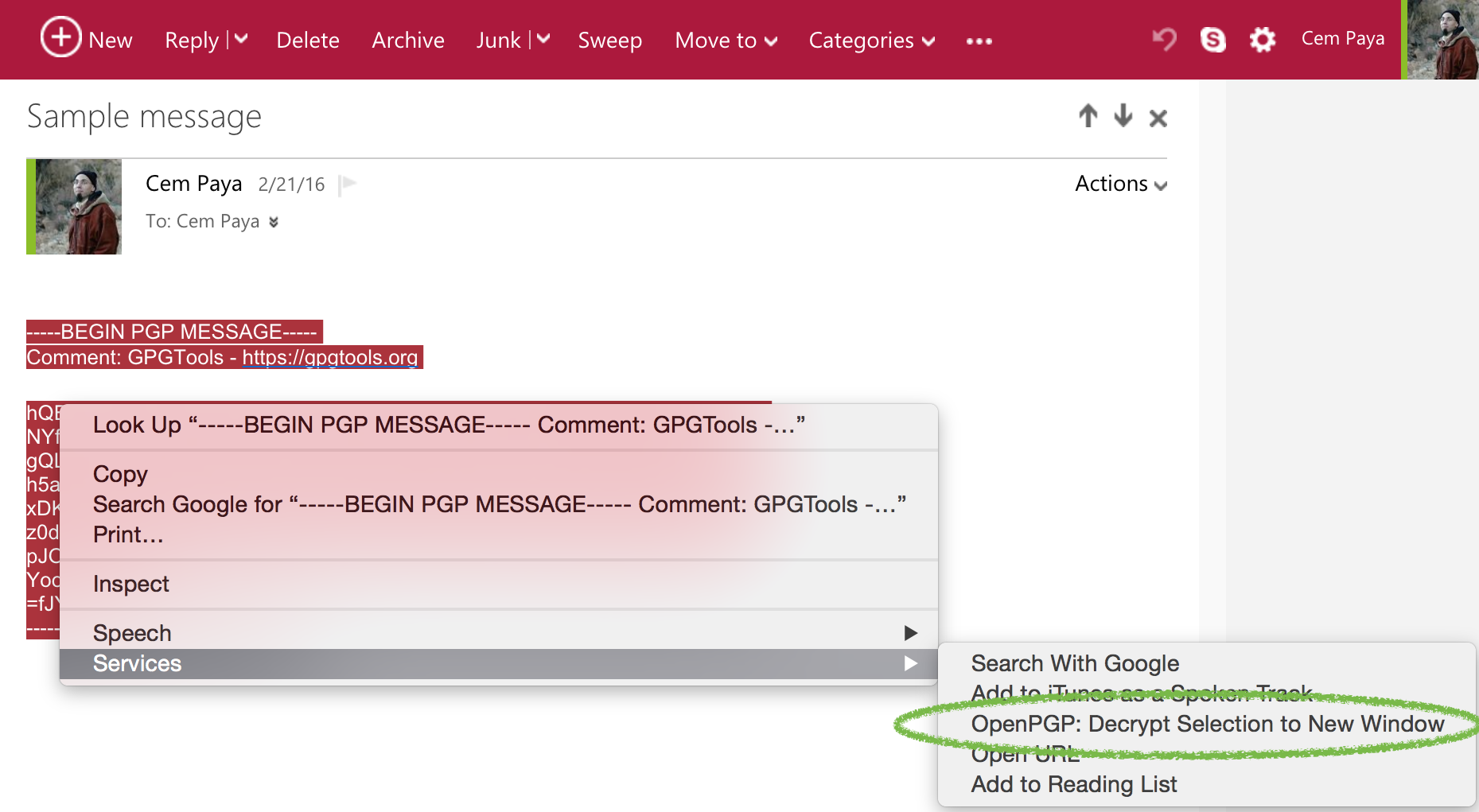
Decrypt highlighted text in web mail

Decrypt highlighted text in web mail

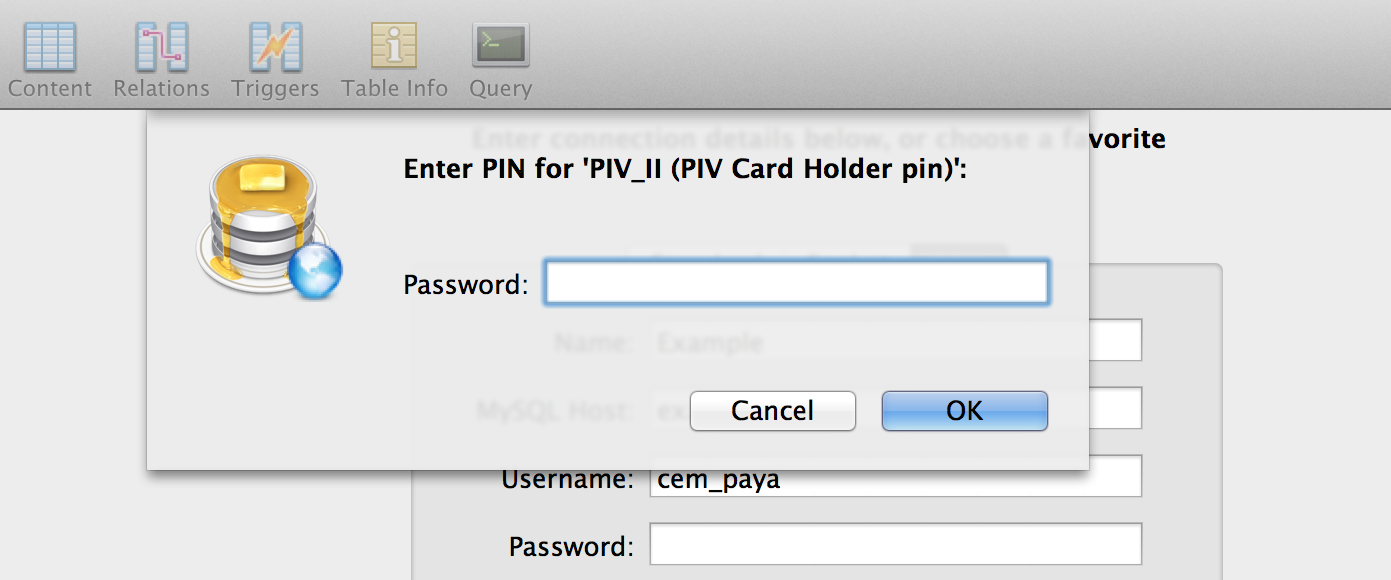
That brings up a PIN collection UI slightly more polished than the Linux versions:

OSX MacPGP PIN collection UI

OSX MacPGP PIN collection UI

Handling multiple devices

Existing keys on the card need to be registered with PGP only once. In order to use the hardware token with another device, it is easier to “export the private-key” to a file, copy the file over and import it into the key-ring on the new machine. Export in quotes because in the case of hardware keys, there is no secret information being exported. Despite GPG dutifully prompting for a passphrase to encrypt sensitive data, the only relevant information written to file is a reference to the card serial number and key identifier. Private-keys never leave the hardware token itself. The resulting export file is not sensitive in the way actual private-keys would be, making the migration process straightforward.

CP

** While a TPM can be made to look like a smart-card (for example, using Windows virtual smart-cards) that involves an emulation layer, not sending raw APDUs to the TPM as if it were a CCID device.
Getting by without passwords: disk encryption

[Part of a series on getting by without passwords]

Next up in this series on using hardware tokens to replace passwords: disk encryption.

Threat models for disk encryption

One word of caution here: OS-based disk encryption, particularly on boot volumes, by itself is not sufficient unless also accompanied by another safeguard to ensure boot integrity such as UEFI secure boot, TPM-based measured boot etc. To motivate this, we  distinguish two different threat models:

  • Passive attack: This is the garden-variety lost/stolen laptop scenario. The device is captured by the adversary, who must contend with defeating disk encryption without ever interacting with the legitimate user or possessing their credentials. (In other words, no out-of-band tricks to get disk encryption passphrase.)
  • Active attack or “evil-maid” scenario: Adversary gets access to the device, tampers with it and then returns it back to the owner. Oblivious to the fact that their device has been in nefarious hands, legitimate owner proceeds to power it on, decrypt the disk and use their machine as if nothing happened.

(It’s worth pointing out this dichotomy does not cover the full range of attacks. For example original cold-boot attacks did not require require interaction, but relied on a quirk of Bitlocker default configuration: decryption happens automatically on boot using TPM. It’s as if the “user” is always present and willing to type in a decryption passphrase whenever prompted.)

Disk encryption alone falls short in the second scenario, regardless of the strength of cryptography or strategy for managing decryption keys. The reason is that before disk can be decrypted, some other piece of the code must execute that is responsible for implementing that complex full-disk encryption logic. That typically resides on another partition, which itself can not be encrypted to avoid a turtles-all-the-way-down situation. Otherwise we need another piece of boot-strap code to decrypt that partition, in a turtles-all-the-way-down circularity. But it could also be part of the BIOS firmware. Now if an attacker can tamper with that code and have the user proceed to unlock the disk using their Trojaned version, they have effectively bypassed encryption: during the decryption, their malicious loader could directly inject a payload into the operating system by returning bogus plaintext. (“You are trying to decrypt sectors containing the sshd binary? Here, take this version instead which contains a backdoor that will grant your adversary remote access with a magic passphrase.”) This is why it is necessary to guarantee integrity of the entire boot chain, starting from the firmware to the multiple stages of the boot-loader, all the way until the operating system gains control.

With that disclaimer in mind, here is a proof-of-concept for using off-the-shelf cryptographic hardware for disk encryption.

First the two easy cases.

OSX

This has an easy answer, because of the limitations in OSX: existing FileVault design does not support interfacing with smart-cards. (For historical purposes: the current version is technically FileVault2. The original FileVault was based on a different design and did support smart-card unlock.)

Windows

Supporting hardware-based disk encryption on Windows is also very easy because it is already built-in. That said, we need to distinguish between two cases. Bitlocker for boot volumes does not use smart-cards. It can not; that scenario calls for specific TPM functionality, such as platform configuration registers or PCRs, to guarantee boot integrity which can not be emulated using an external token that is decoupled from the motherboard. Bitlocker-To-Go on the other hand, can use any compatible smart-card to encrypt other types of storage, such as additional logical partitions and even removable volumes such as USB thumb drives. It can even protect remote disks mounted as iSCSI targets and virtual-disk images, described in earlier posts around on using existing cloud-storage services without giving up privacy.

Linux with dm-crypt & LUKS

Linux falls into that gray area between OSX where enterprise-security scenarios usually don’t work because Apple never designed for enterprise, and Windows where the “common” scenario works out-of-the box provided one is adhering to the MSFT script. There is not a single “full-disk encryption” feature built into Linux but a wide array of choices, with only a handful used in practice.

This example describes implementing FDE using a PIV card with the popular LUKS and dm-crypt combination. dm-crypt operates at the level of block devices. Quoting from the cryptsetup wiki:

Device-mapper crypt target provides transparent encryption of block devices using the kernel crypto API. The user can basically specify one of the symmetric ciphers, an encryption mode, a key (of any allowed size), an iv generation mode and then the user can create a new block device in /dev. Writes to this device will be encrypted and reads decrypted. You can mount your filesystem on it as usual or stack dm-crypt device with another device like RAID or LVM volume.

LUKS in turn provides a layer for managing these encryption keys. LUKS can manage  multiple “slots,” each containing versions of the encryption key protected by a different mechanism. One helpful property of this behavior is providing side-by-side support for traditional passwords along with smart-cards, using different slots. It also provides a migration path to switch from passwords to hardware tokens, simply by deleting the associated slot.

LUKS and smart-cards

LUKS by itself does not have a notion of smart-cards, cryptographic hardware or even high-level interfaces such as PKCS#11. Instead it comes with an even more general extensibility mechanism called key-scripts. This model allows specifying an arbitrary binary to be executed and use the stdout output from that binary as the decryption key for unlocking a volume. This is more than enough to implement support for smart-cards. (In fact it has also been used to implement a poor-man’s Bitlocker.)

Our strategy is:

  1. Generate a random symmetric key
  2. Create a LUKS key-slot containing this symmetric key
  3. We will not store the original symmetric key. Instead, we encrypt it using the public-key from one of the smart-card certificates. That resulting ciphertext is stored on disk.
  4. Write a custom LUKS keyscript to decrypt that ciphertext using the corresponding private-key from smart-card
  5. Configure LUKS to invoke that key-script when the partition needs to be unlocked.

Walk-through

Here is a more detailed walk-through the steps.

Caveat emptor: This is for illustration purposes only. In practice these steps would be  automated, to avoid extended exposure of raw secrets in environment variables.

First generate a random secret:

RANDOM_KEY=`openssl rand -base64 32`

Next we assign it into one of the LUKS key slots:

cryptsetup luksAddKey /dev/sda2 <(echo "$RANDOM_KEY")

In this example /dev/sda2 is the partition containing an existing LUKS volume. The command must be run as root and will require one of the existing passphrases to be supplied. After the new key-slot is added, the disk can be unlocked anytime in the future by presenting that secret again.

Tying unlock to a hardware token

The core idea is making that capability—“present original secret”— conditional on having control over the smart-card. This is achieved by encrypting the secret using one of the public keys associated with the card and throwing away the original. From now on, recovering that secret to unlock the disk requires performing the corresponding private-key operation to decrypt the ciphertext. Typically that translates into having possession of the card and knowing the associated PIN.

To encrypt, we retrieve a certificate from the card and extract the public key from it using openssl.

PUBLIC_KEY=`pkcs15-tool --read-certificate 01  |\
            openssl x509 -inform PEM -noout -pubkey`

openssl rsautl -encrypt -inkey <(echo "$PUBLIC_KEY") -pubin \
                <<< $RANDOM_KEY > /crypto/fde_ciphertext.bin

Two ancillary notes about this:

  • PIV standard defines multiple X509 certificate slots that may be present on the card. This example uses the PIV Authentication Certificate, via identifier “01.” (This is a synthetic ID created by OpenSC. There is no such mapping in PIV, where the card-edge assigns keys identifiers such as 0x9A, 0x9B etc.) Any other key that permits decryption could be used; in fact Key Management certificate is more in the spirit of disk encryption.
  • Choice of raw RSA PKCS1.5 format is somewhat arbitrary and driven by convenience. (OAEP would have been preferable but at the time of writing, OpenSC does not grok OAEP, creating a challenge for decryption.) For the special case of managing LUKS secrets, more complex encryption modes such as CMS that use a random symmetric-key to bulk-encrypt data are not necessary.  Entirety of the secret data to be protected fits in a single RSA block for contemporary key sizes.

Unlocking the volume

We store the ciphertext outside the encrypted partition to avoid a circularity; access to the ciphertext is necessary before we can unlock the partition. In this example /etc/crypto is used. In the same directory we also drop a key-script that will be used for unlocking the volume. This is a simple bash script to decrypt the ciphertext using the smart-card to recover the original secret, and output that to stdout for the benefit of LUKS.

Raw RSA decryption is performed by using pkcs15-crypt from OpenSC. We could also have used pkcs11-tool which has more options, but adds another moving part in having to locate the appropriate PKCS #11 module.**

Finally we adjust the crypttab file to invoke the custom key-script when unlocking our encrypted partition:

cem@ubuntu:/$ cat /etc/crypttab
# <target>  <device>    <key file>                   <options>
home        /dev/sdb1   /crypto/fde_ciphertext.bin   luks,keyscript=/crypto/unlock.sh

(Without a key-file or key-script, the default behavior is interactively prompting the user for a passphrase instead.)

[continued]

CP

** In a way it is a fluke that pkcs15-tool works in this scenario; PIV is a distinct card-edge; it does not conform the PKCS #15 standard for what a card application looks like at the APDU level.

Getting by without passwords: the case for hardware tokens

Summary/jump-ahead:

  1. OSX local login sans passwords
  2. Linux local login sans passwords
  3. LUKS disk-encryption sans passwords
  4. PGP email encryption sans passwords
  5. SSH using PIV cards/tokens sans passwords

For an authentication technology everyone loves to hate, there is still plenty of activity around passwords:

  • May 7 was international password day. Sponsored by the likes of MSFT, Intel and Dell the unofficial website urges users to “pledge to take passwords to the next level.”
  • An open competition to select a better password hashing scheme has recently concluded and crowned Argon2 as the winner.

Dedicated cryptographic hardware

What better time to shift gears from an endless stream of advice on Choosing Better Passwords? This series of posts will look at some pragmatic ways one can live without passwords. “Getting rid of passwords” is a vague objective and calls for some clarification— lest trivial/degenerate solutions become candidates. (Don’t like typing in a password? Enable automatic login after boot and your OS will never prompt you.) At a high level, the objective is: replace use of passwords by compact hardware tokens that both improve security and reduce cognitive burden on users.

The scope of that mission goes beyond authentication. Typically passwords are used in conjunction with access control: logging into a website, connecting to a remote computer etc. But there are other scenarios: for example, full-disk encryption or protecting an SSH/PGP key stored on disk typically involves typing a passphrase chosen by the user. These are equally good candidates in search of better technology. For that reason we focus on using cryptographic hardware, instead of biometrics or “weak 2-factor” systems such as OTP which are trivially phishable. Aside from their security deficiencies, they are only usable for authentication and by themselves can not provide a full suite of functionality such as data encryption or document signing.

Hardware tokens have the advantage that a single token can be sufficient to displace passwords in a variety of scenarios and even multiple instances of the same scenario, such as logging into multiple websites each with their own authentication system. (In other words, no identity federation or single sign-on, otherwise the solution is trivial.) While reusing passwords is a dangerous practice that users are constantly cautioned against,  reusing same public-key credentials across multiple sites presents minimal risk.

It turns out the exact model of hardware token or its physical form-factor (card vs USB token vs mobile-device vs wearable) is not all that important, as long as it implements right functionality, specifically public-key cryptography. More important for our purposes is support from commodity operating systems with device-drivers, middleware etc. to provide the right level of interoperability with existing applications. The goal is not overhauling the environment from top to bottom by replacing every app, but working within existing constraints to introduce security improvements. For concrete examples here, we will stick with smart-cards and USB tokens that implement the US government PIV standard, which enjoys widespread support across both proprietary and open-source solutions.

PIN vs password: rearranging deck chairs?

One of the first objections might be that such tokens typically have a PIN of their own. In addition to physical possession of the token, the user must supply a secret PIN to convince it to perform cryptographic operations. That appears to contradict the original objective of getting rid of passwords. But there are two critical differences.

First as noted above, a single hardware token can be used for multiple scenarios. For example it can be used for login to any number of websites and send while sharing a password across multiple sites is a bad idea. In that sense the user only has to carry one physical object and remember one PIN.

More importantly, the security of the system is much less dependent on the choice of PIN compared to single-factor systems based on a password. PIN is only stored on and checked by the token itself. Without physical possession of the token it is meaningless. That is why short numeric codes are deemed sufficient; the bulk of the security is provided by having tamper-resistant hardware managing complex, random cryptographic keys that users could not be expected to memorize. You will not see elaborate guidelines on choosing an unpredictable PIN by combining random dictionary words. PIN is only used as an incremental barrier to gate logical access after the much stronger requirement of  access to the hardware. (Strictly speaking, “access” includes the possibility of remote control over a system connected to the token;  in other words compromising a machine where the token is used. While this is a very realistic threat model, it still relies on the user physically connecting their token to an attacker-controlled system.)

Here is a concrete example comparing two designs:

  • First website uses passwords to authenticate users. It stores password hashes in order to be able to validate logins.
  • Second website uses public-key cryptography to authenticate users. Their database stores a public-key for each user. (Corresponding private-key lives on a hardware token with a PIN, although this is an implementation detail as far as the website is concerned.)

Suppose both websites are breached and bad guys walk away with contents of their database. In the first scenario, the safety of a user account is at least partially a function of their skill at choosing good passwords. You would hope the website used proper password-hashing to make life more difficult for attackers, by making it costly to verify each guess. But there is a limit to that game. The costs of verifying hashed passwords increase alike for attackers and defenders attacker. Some users will pick predictable passwords and given enough computing resources these can be cracked.

In the second case, the attacker is out of luck. Difficulty of recovering a private-key from the corresponding public key is the mathematical foundation on which modern cryptography rests. There are certainly flaws that could aid such an attack: for example, weak randomness when generating keys has been implicated in creating predictable keys. But those factors are a property of hardware itself and independent of user skills. In particular, quality of the user PIN— whether it was 1234 or 588429301267— does not enter into the picture.

User skill at choosing a PIN only become relevant in case an attacker gains physical access. Even in that scenario, attacks against the PIN are far more difficult.

  • Well-designed tokens implement rate limiting, so it is not possible to try more than a handful guesses via the “official” PIN verification interface.
  • Bypassing that avenue calls for attacking the tamper-resistance of the hardware itself. This is certainly feasible given proper equipment and sufficient time. But assuming the token had appropriate physical protections, it is a manual, time-consuming attack that is far more costly than running an automated cracker on a password dump.

Starting out local

With that context, the next series of posts will walk through examples of replacing use of passwords in each scenario with a hardware token. In keeping with the maxim “be the change you want to see in the world,” we focus on use-cases that can be implemented by unilaterally by end-users, without requiring other people to cooperate. If you wanted to authenticate to your bank using a hardware token and their website only supports passwords, you are out of luck. There isn’t much that can be done to meaningfully implement a scheme that offers comparable security within that framework. You could implement a password manager that users credentials on the card to encrypt the password, but at the end of the day the protocol still involves submitting the same fixed secret over and over. By contrast local uses of hardware tokens can be implemented without waiting for any other party to become enlightened. Specifically we will cover:

  1. Logging into a local machine. Spoiler alert- due to how screen unlocking works, this also covers that vexing question of “how do I unlock my screen using NFC?”
  2. Full-disk encryption
  3. Email encryption and signing with PGP

Also worth pointing out: SSHing to remote server with PIV token was covered earlier for OSX. Strictly speaking this is not “local” usage, but it satisfies the criteria of not requiring changes to systems outside our control. Assuming the remote server is configured for public-key authentication, how users are managing their private-key on their end remains transparent to other peers.

CP

[Updated 05.14.16 with table of contents]

Smart-card logon for OS X (part IV)

[continued from part III]

Smart-card elevation

In addition to the login screen and screen-saver, elevation prompts for sensitive operations will also work with smart-cards:

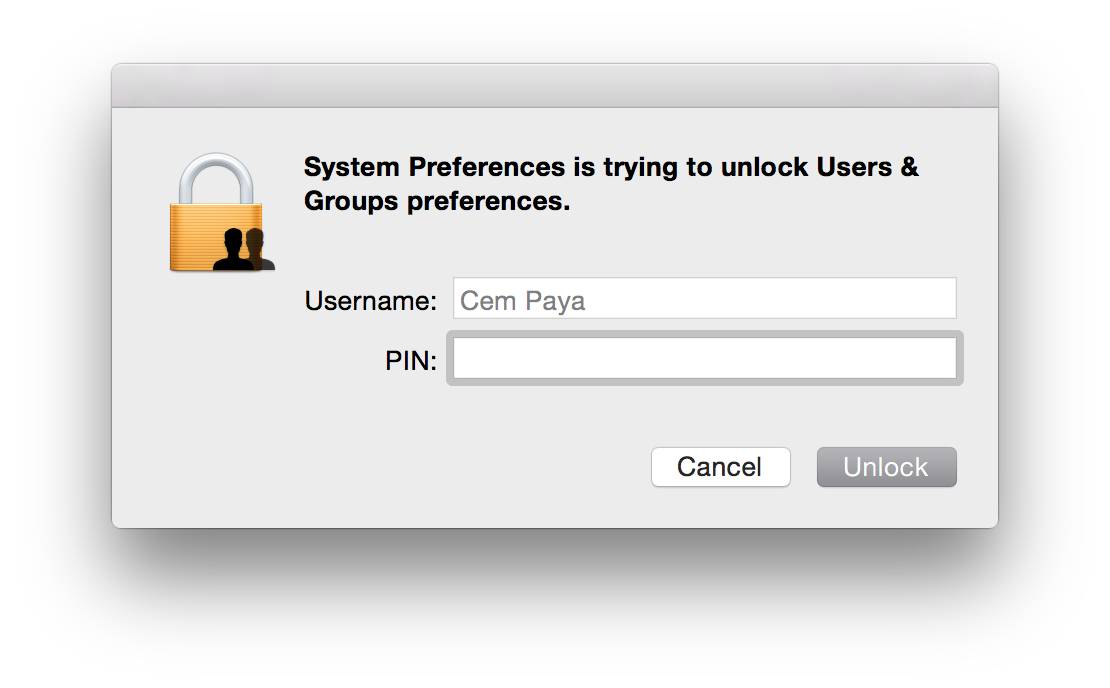
Elevation prompt asking for PINAs before, the dialog can adjust for credential type in real-time. On detecting presence of a smart-card (more precisely, a card for which an appropriate tokend module exists and contains valid credentials) the dialog will change in two subtle ways:

  • Username field is hard-coded to the account mapped from the certificate on the card, and this entry is grayed out to prevent edits
  • Password field is replaced by PIN

If the card is removed before PIN entry is completed, UI reverts back to the original username/password collection model.

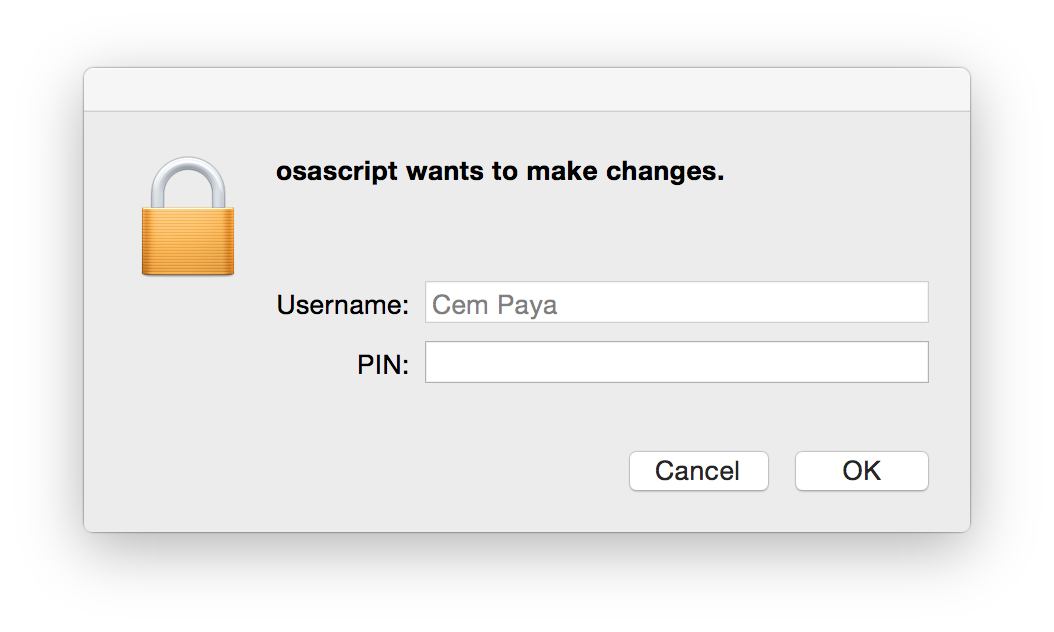
One might expect that elevation in command line with “sudo” would similarly pick up the presence of smart-card but that is not the case. su and sudo still require a password. One heavy-weight solution involves installing the PKCS#11 PAM (pluggable authentication module) since OS X does support the PAM extensibility mechanism. A simpler work-around is to substitute an osascript wrapper for sudo. This wrapper can invoke the GUI credential collection which is already smart-card aware:

sudo replacement with PIN collection(Downside is that the elevation request is attributed to osascript, instead of the specific binary to be executed with root privileges. But presumably the user who typed out the command knows the intended target.)

Recap

Before discussing the trust-model and comparing it to Windows implementation, here is a quick overview of steps to enable smart-card logon with OS X:

  • Install tokend modules for the specific type of card you plan to use. For the US government PIV standard, OpenSC project installer contains one out of the box.
  • Enable smart-card login using the security command to modify authorization database.
    $ sudo security authorizationdb smartcard enable
    YES (0)
    $ sudo security authorizationdb smartcard status
    Current smartcard login state: enabled (system.login.console enabled, authentication rule enabled)
    YES (0)

    (Side-note: prior to Mavericks the authorization “database” was a plain text-file at /etc/authorization and it could be edited manually with a text editor— this is why some early OSX smart-card tutorials suggest tinkering with the file directly. In Mavericks it is a true SQLite database and best manipulated with the security utility.)

  • Associate one or more certificate mappings to the local account, using sc_auth command.

Primitive trust-model

Because certificate hashes are tied to a public-key, this mapping does not survive the reissuance of the certificate under a different key. That defeats the point of using PKI in the first place. OSX is effectively using X509 as a glorified public-key container, no different from SSH in the trusting specific keys rather than the generalized concept of an identity (“subject”) whose key at any given time is vouched for by a third-party. Contrast that with how Active Directory does certificate mapping, adding a level of indirection by using fields in the certificate. If the certificate expires or the user loses their token, they can be issued a new certificate from the same CA. Because the replacement has the same subject and/or same UPN, it provides continuity of identity: different certificate, same user. There is no need to let every endpoint know that a new certificate has been issued for that user.

A series of future posts will look at how the same problem is solved on Linux using a PAM tailored for digital certificates. Concrete implementations such as PAM PKCS#11 have same two-stage design: verify ownership of private key corresponding to a certificate, followed by mapping the certificate to local account. Its main differentiating factor is the choice of sophisticated mapping schemes.  These can accommodate everything from the primitive single-certificate approach in OSX to the Windows design that relies on UPN/email, and other alternatives that build on existing Linux trust structures such as ssh authorized keys.

CP

Smart-card logon for OS X (part III)

[continued from part II]

Managing the mapping for smart-card logon

OS X supports two options for mapping a certificate to a local user account:

  • Perform look-up in enterprise directory
  • Decide based on hash of the public-key in the certificate

For local login on stand-alone computers without Active Directory or equivalent, only the second, very basic option is available. As described by several sources [Feitian, PIV focused guides, blog posts], sc_auth command in OS X— which is just a Bash script— is used to manage that mapping via various sub-commands. sc_auth hash purports to display keys on currently present smart-cards, but in fact outputs a kitchen sink of certificates including those coming from the local keychain. It can be scoped to  specific key by passing an identifier. For example to get PIV authentication key out of a PIV card when using OpenSC tokend modules:

$ sc_auth hash -k "PIV"
67081F01CB1AAA07EF2B19648D0FD5A89F5FAFB8 PIV AUTH key

The displayed value is a SHA1 hash derived from the public-key. (Keep in mind that key names such “PIV AUTH key” above are manufactured by the tokend middleware; your mileage may vary when using different one.)

To convince OS X into accepting that certificate for local logon, sc_auth accept must be invoked with root privileges.

$ sudo sc_auth accept -u Alice -k "PIV"

This instructs the system to accept the PIV certificate on presently connected smart-card for authenticating local user Alice.  There is another option to specify the key using its hash:

$ sudo sc_auth accept -u Alice -h 67081F01CB1AAA07EF2B19648D0FD5A89F5FAFB8

More than one certificate can be mapped to a single account by repeating that process. sc_auth list will display all currently trusted public-key hashes for a specified user:

$ sc_auth list -u Alice
67081F01CB1AAA07EF2B19648D0FD5A89F5FAFB8

Finally sc_auth remove deletes all certificates currently mapped to a local user account:

$ sudo sc_auth remove -u Alice

Smart-card user experience on OS X

So what does the user experience look like once the mapping is configured?

Initial login

First the bad news: don’t throw away your password just yet. The boot/reboot process remains unchanged. FileVault II full-disk encryption still requires typing in the password to unlock the disk.** Interestingly, its predecessor the original FileVault did support smart-cards because it was decrypting a container in the file-system after enough of the OS had been loaded to support tokend. New variant operates at a much lower level. Because OS X does not ask for the password a second time after the FileVault prompt, there is no opportunity to use smart-card in this scenario.

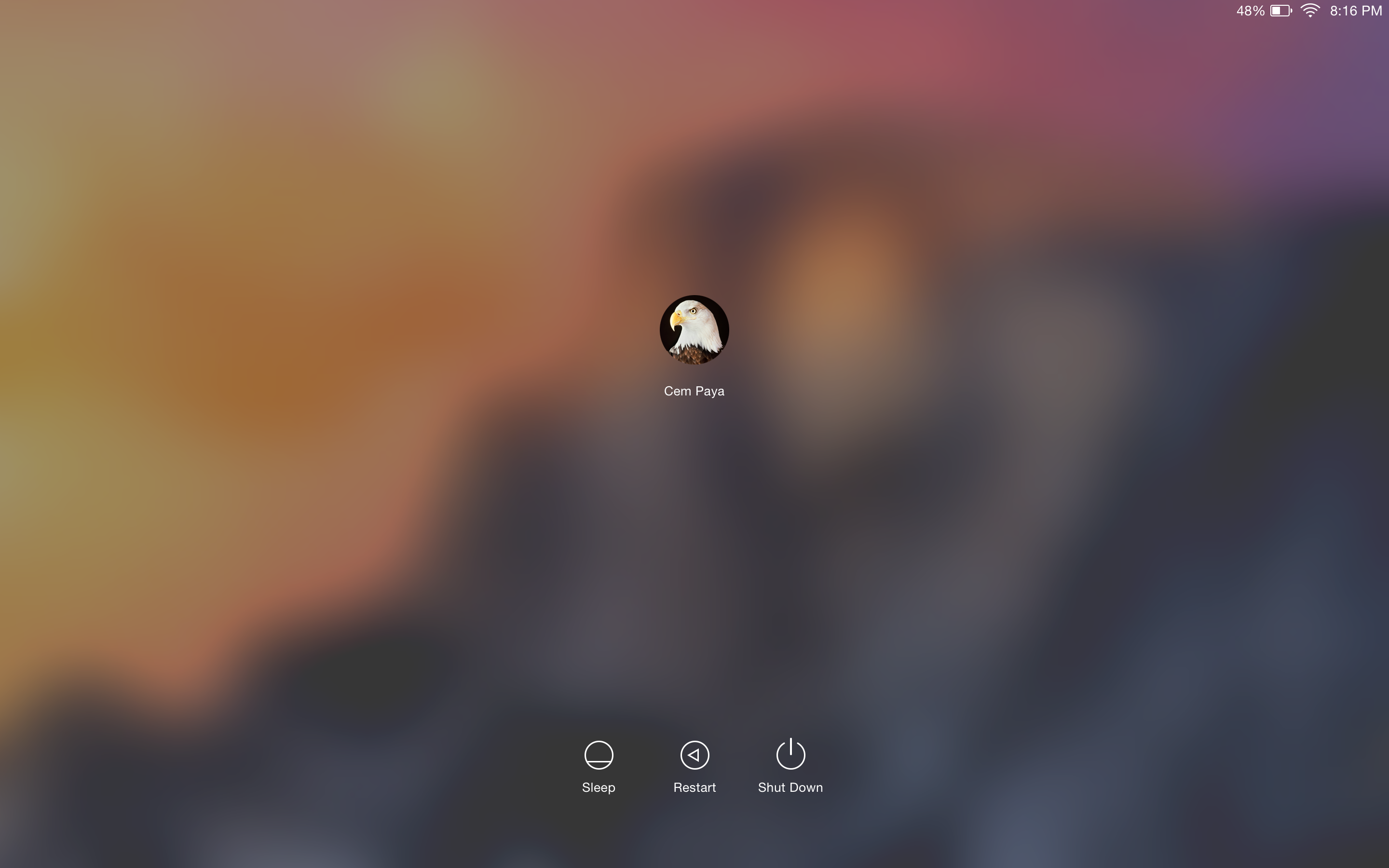
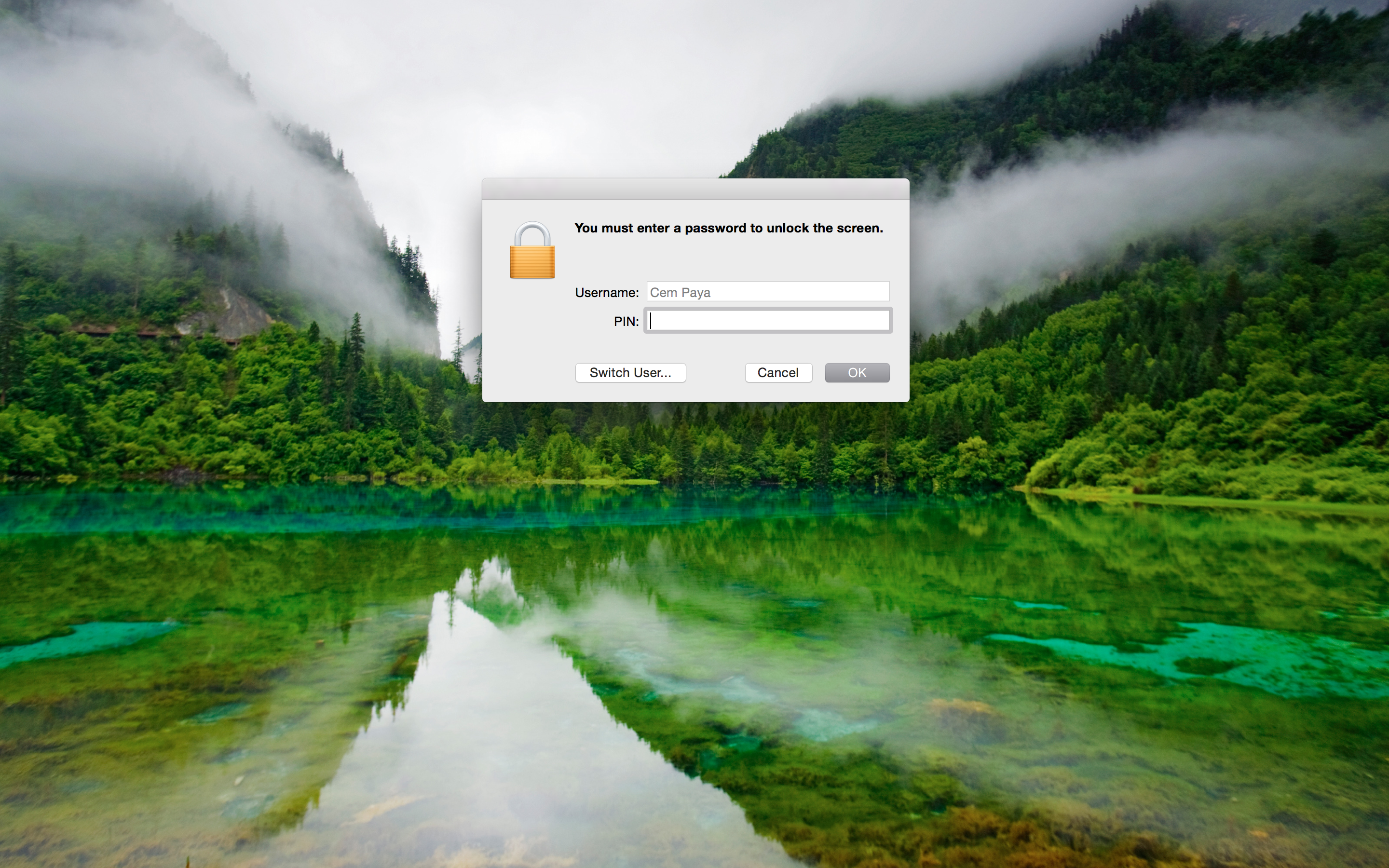
Good news is that subsequent authentication and screen unlocking can be done using a smart-card. The system recognizes the presence of a card and modifies its UI to switch authentication mode on the fly. For example, here is what the Yosemite login screen usually looks like after signing out:**

Standard login screen

Standard login screen

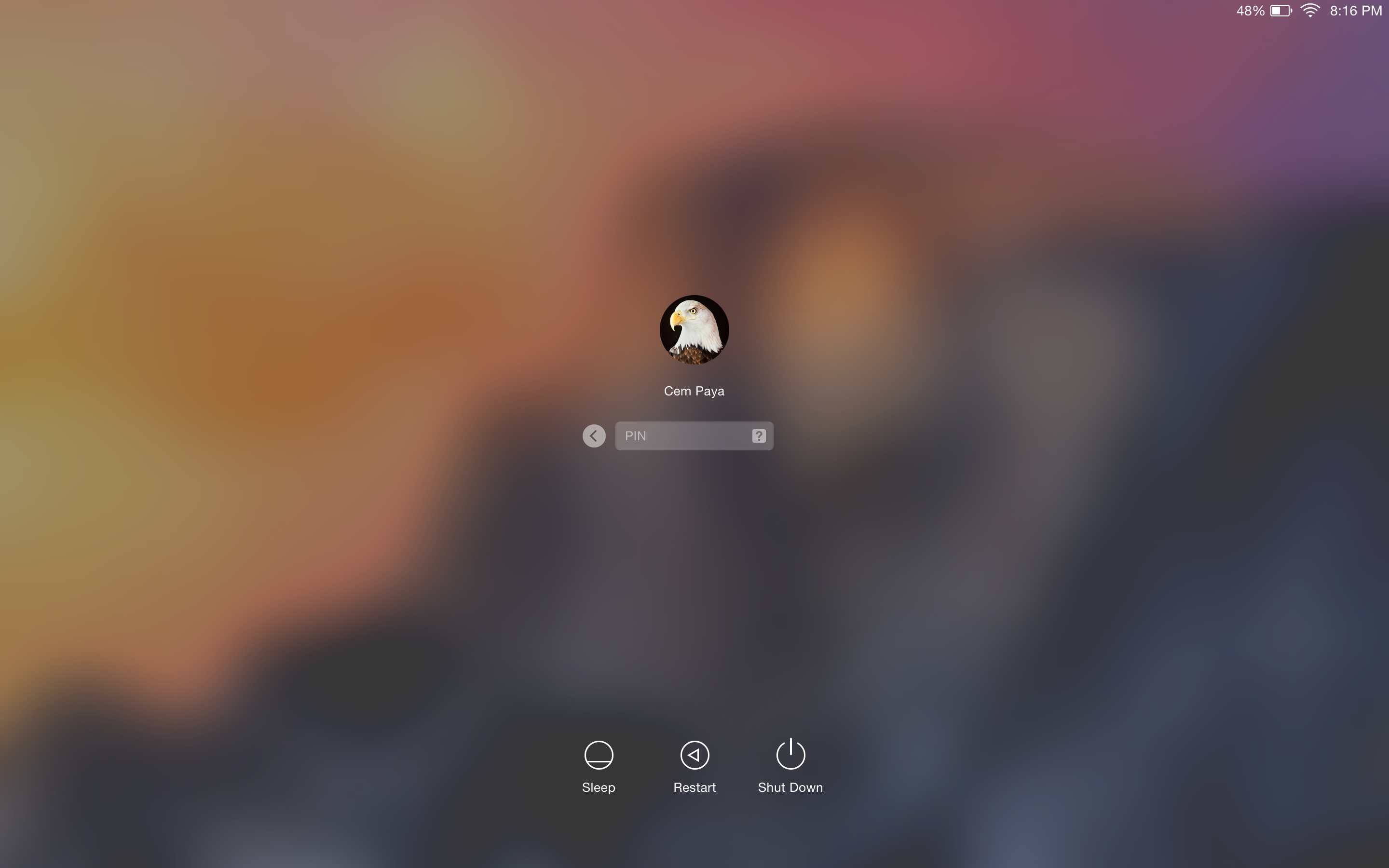
After a card is connected to the system, the UI updates automatically:

OS X login UI after detecting card presence

OS X login UI after detecting card presence

Local account mapped to the certificate from the card is chosen, and any other  avatars that may have been present disappear from the UI. More subtly the password prompt changes into a PIN prompt. After entering the correct PIN, the system will communicate with the card to verify its possession of the private-key and continue with login as before.

Caveat emptor

  • On failed PIN entry, the system does not display the number of remaining tries left before the card is locked. It is common for card standards to return this information as part of the error; PIV specification specifically mandates that. Windows will display the count after incorrect attempts as a gentle nudge to be careful with next try; a locked card typically requires costly intervention by enterprise IT.
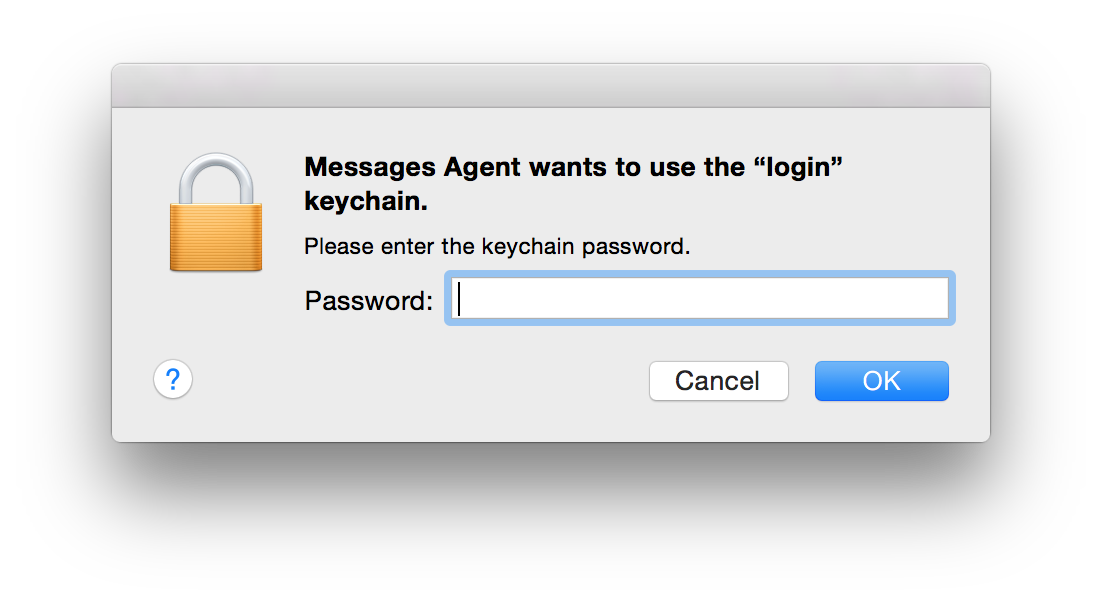
  • After logging in, it is not uncommon to see another prompt coming from the keychain, lest the user is lulled to a false sense of freedom from passwords:
    Screen Shot 2015-02-08 at 20.17.11 Keychain entries previously protected by the password still need to be unlocked using the same credential. If authentication took place using a smart-card, that password is not available after login. So the first application trying to retrieve something out of the key-chain will trigger on-demand collection. (As the dialog from Messages Agent demonstrates, that does not take very long.)

Screen unlock

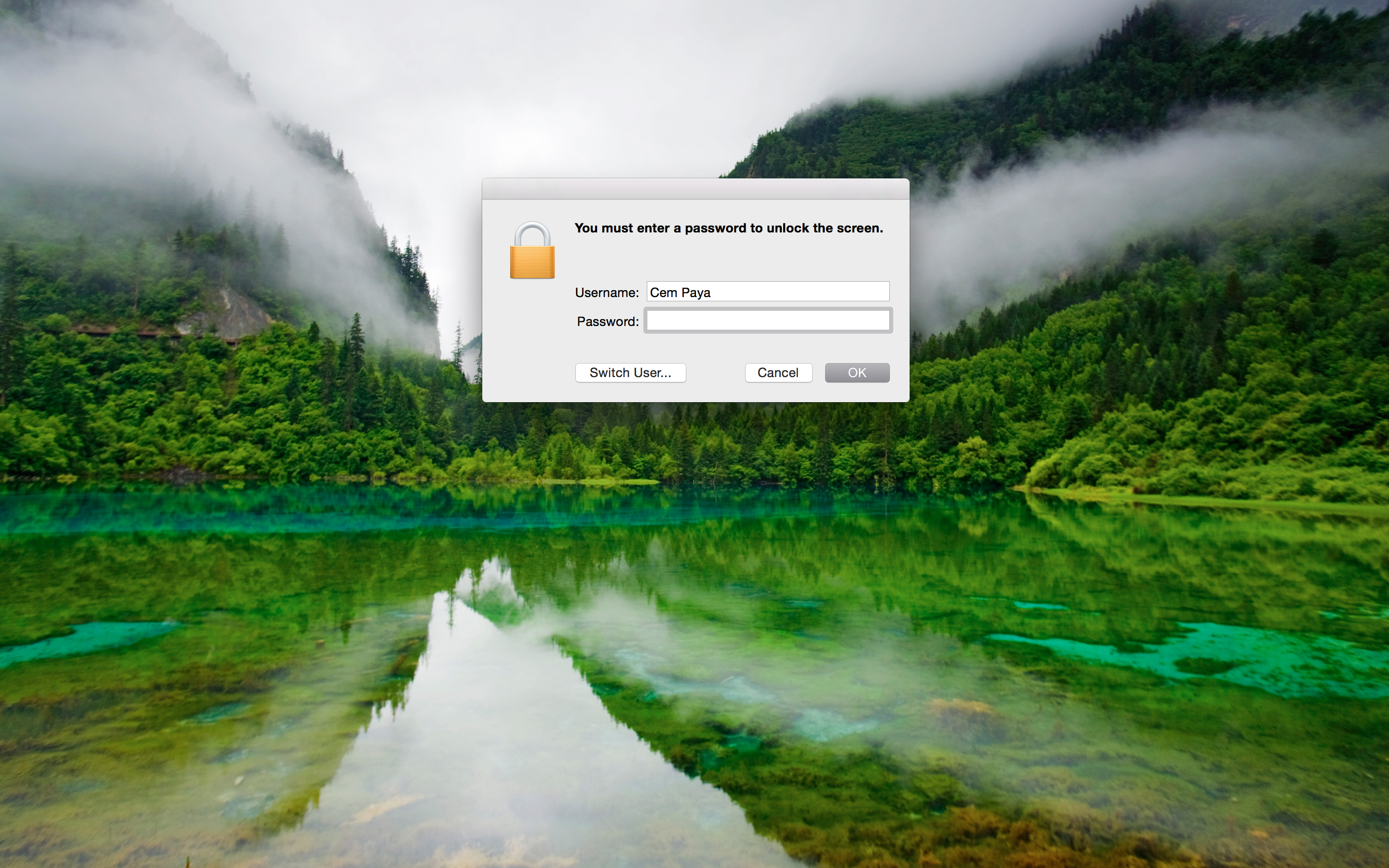
Unlocking the screen works in a similar fashion, reacting to the presence of a card. Here is example UI when coming out of screen-saver that requires password:

Screen-saver prompting for password

Screen-saver prompting for password

After detecting card presence:

Screen-saver prompting for card PIN

Screen-saver prompting for card PIN

This is arguably the main usability improvement to using smart-cards. Instead of typing a complex passphrase to bring the system out of sleep or unlock after  walking away (responsible individuals lock their screen before leaving their computer unattended, one would hope) one need only type in a short numeric PIN.

[continued]

CP

* In other words OS X places the burden of security on users to choose a random pass-phrase, instead of offloading that problem to specialized hardware. Similarly Apple has never managed to leverage TPMs for disk encryption, despite a half-hearted attempt circa 2006, keeping with the company tradition of failing to grok enterprise technologies.
** MacWorld has a helpful guide for capturing these screenshots, which involve SSH from another machine.

Smart-card logon for OS X (part II)

[continued from part I]

Local vs domain logon

In keeping with the Windows example from 2013, this post will also look at local smart-card logon, as opposed to directory based. That is, the credentials on the card correspond to a user account that is defined on the local machine, as opposed to a centralized identity management service such as Active Directory. A directory-based approach would allow similar authentication to any domain-joined machine using a smart-card, while the local case only works for a user account recognized by one machine. For example, it would not be possible to use these credentials to access a remote file-share afterwards, while that would be supported for the AD scenario because the logon in that case results in Kerberos credentials recognized by all other domain participants.

Interestingly that local logon case is natively supported by the remnants of smart-card infrastructure in OS X. By contrast Windows only ships with domain logon, using PKINIT extension to Kerberos. Third-party solutions such as eIDAuthenticate are required to get local scenario working on Windows. (In the same way that Apple can’t seem to grok enterprise requirements, MSFT errs in the other direction of enabling certain functionality only for enterprise. One can imagine a confused program manager in Redmond asking “why would an average user ever want to login with a smart-card?”)

Certificate mapping

At a high-level there are two pieces to smart-card logon, which is to say authenticating with a digital certificate where the private key happens to reside on a “smart card.” (Increasingly the card is not an actual card but could be a USB token or even virtual-card emulated by the TPM on the local machine.)

  • Target machine decides which user account that certificate represents
  • The card proves possession of the private-key corresponding to the public-key found in the certificate

The second part is a relatively straightforward cryptographic problem that has many precedents in the literature, including SSH public-key authentication and TLS client authentication. Typically both sides jointly generate a challenge, the card performs a private-key operation using that challenge and machine verifies the result using the public-key. Exact details vary based on key-type and allowed key-usage attributes in the certificate. For example if the certificate had an RSA key, the machine could encrypt some data and ask the card to respond with proof that it can recover the original plaintext. If the certificate instead had an ECDSA key which is only usable for signatures but not encryption (or it has an RSA key but the key-usage constraints on the certificate rule out encryption) the protocol may involve signing a jointly generated challenge.

Tangent: PKINIT in reality

Reality of PKINIT specification is a lot messier— not to mention the quirks of how Windows has implemented it historically. Authentication of user is achieved indirectly in two steps. First client sends the Kerberos domain-controller (KDC) a request signed with its own key-pair, then receives a Kerberos ticket-granting-ticket (TGT) from KDC encoded in one of two different ways:

  • Encrypted in the same RSA key used by the client when signing— this was the only option supported in early implementations of PKINIT in Windows
  • Using a Diffie-Hellman key exchange, with DH parameter and client input authenticated by the signature sent in the original request

Mapping from any CA

The good news is local logon does not involve a KDC, there is no reason for implementations to worry about idiosyncrasies of RFC4556 or interop with Kerberos. Instead they have a different problem in mapping a certificate to user accounts. This is relatively straightforward in the enterprise: user certificates are issued by an internal certificate authority that is either part of Active Directory domain controller using the certificate services role (in the common case of an all-Windows shop) or some stand-alone internal CA that has been configured for this purpose and marked as trusted by AD. The certificates are based on a fixed template with username encoded in specific  X509 fields such as email address or UPN, universal principal name. That takes the guesswork out of deciding which user is involved.  The UPN “alice@acme.com” or that same value in email field unambiguously indicates this is user Alice logging into Acme enterprise domain.

By contrast local smart-card logon is typically designed to work with any existing certificates the user may have, including self-signed ones; this approach might be called “bring-your-own-certificate” or BYOC. No assumptions can be made about the template that certificate follows, other than conforming to X509. It may not have any fields that would allow obvious linking with the local account. For example there may be no UPN and email address might point to Alice’s corporate account, while the machine in question is a stand-alone home PC with personal account nicknamed “sunshine.” Main design challenge then is devising a flexible and secure way to choose which certificates are permitted to login to which account.

[continued]

CP

Smart-card logon for OS X (part I)

OS X in the enterprise

Apple is not exactly known for an enthusiastic enterprise scenarios, which is surprising considering the company’s steady rise in popularity as standard issue IT equipment at large companies. It was common for Mac-operations team at Google to frequently report bugs that made it difficult to manage the enterprise fleet— and Google has thousands of Macbooks company wide. These were routinely ignored and under-prioritized by a culture more focused on designing shiny objects than pedestrian tasks like enterprise controls. So one would expect that a decidedly enterprise-oriented security feature along the lines of smart-card logon could not possibly work on OS X. But the real surprise is it can be made to work using only open source software and in spite of Apple’s best attempts to deprecate all things smart-card related.

Market pressure: it works

Back-tracking  we have the first riddle: why did a consumer-oriented platform known more for flashy graphics than high-security scenarios even bother implementing smart-card support in the first place? The credit for that goes to the US government—indirectly. Presidential directive HSPD-12 called for a common identification standard for federal employees and contractors. In response, NIST developed FIPS 201 as a comprehensive standard encompassing hardware/software for employee badges, PKI-based credentials on those badges and framework for identity management built around those credentials. The vision was ambitious, encompassing both physical access- say getting into restricted areas inside an airport- and logical access such as authenticating to a server in the cloud. Lynchpin of this vision was the CAC (Common Access Card), later replaced by PIV or Personal Identity Verification card. Compliance with CAC and PIV became baseline requirement for certain product sales to the federal government.

That same demand got Windows Vista playing well with CAC and PIV. (Not that it mattered, as Vista never succeeded in the marketplace.) Much better out-of-the-box support carried over into Windows 7. Apple was not immune to that pressure either. OS X had its own proprietary tokend stack for interacting with smart-cards, comparable to the Windows smart-card mini driver architecture. A tokend module for PIV was provide starting with 10.5 to enable standard PIV scenarios such as email encryption or authenticating to websites in a browser.

Deprecated in favor of?

“There are 2 ways to do anything at Google: the deprecated one and the one that does not yet work.” — inside joke at Google

This is where the paths between Apple and MSFT diverged. MSFT continued to invest in improving the smart-card stack, introducing new mini-driver models and better PIV integration. OS X Lion removed support for tokend, no longer shipping the modules in the core OS image. This was the culminating act of Apple washing its hands clean off this pesky security technology, which had started earlier by open-sourcing the smart-card services component earlier and handing off development to a group of volunteers clustered around an open-source project.

In principle punting all development work to an open-source community does not sound too bad. Building blocks are freely available, if anyone cares to compile from sources and install the components manually. In practice most companies do not want to deal with the complexity of maintaining their own packages or watching updates from the upstream open-source project. Third-party vendors [this, that, others] stepped into the void to provide complete solutions going beyond tokend modules, offering additional utilities for administering the card that missing from OS X.

Apple may eventually define a new cryptography architecture with feature parity to CDSA. At the moment nothing ships in the box for enabling smart-card support, not even for PIV. But relics of the supposedly deprecated architecture still survive even in Mavericks. That foundation combined with tokend modules shipping in OpenSC installer- derived from that original open-source release- allow implementing smart-card logon using only free software.

[continued]

CP

PIV provisioning on Linux and Mac (part I)

This is a follow-up to earlier series on using GoldKey hardware tokens on OS X for cryptographic applications such as SSH. One question left unanswered on the last post was how to provision certificates to the token on OS X and Linux, where there is no official support provided by GoldKey. It turns out the implications of that question reach far beyond the implementation details of a specific hardware vendor such as GoldKey. It forces a closer look at the PIV standard itself and canvas the web for open-source utilities available for working with PIV cards.

Provisioning from a high-level

First a quick recap on exactly what “provisioning” means for smart-cards that support PKI. Starting with a blank card, desired end state is to have a private-key residing on the card– ideally generated on-card and never having left the secure execution environment– along with an X509 digital certificate which has the corresponding public-key. (Repeat as desired: there can be more than one key/certificate slot. Case in point, PIV defines 4 types of keys with different use-cases such as signature and encryption.)

Provisioning, nuts and bolts

That process typically breaks down into four steps:

  1. Request the card to generate a key-pair and output the public key.
  2. Create a certificate signing-request (CSR) which contains that public key, and information about the user, and obtain a signature from the card.
  3. Submit the CSR to a certificate-authority and have the CA issue a certificate signed by the CA.
  4. Load the returned certificate on the card.

This is the most generic version of the flow. In particular it covers the self-signed certificate scenario as a special-case, where instead of signing a CSR we can sign a certificate to collapse steps #2 and #3. (In principle this could even have been implemented on-card but typically the complexity of ASN1 parsing and construction has discouraged smart-card developers from trying to do much with X509 on-card.) It is also worth noting that the CSR generation is a practical necessity because most CA implementations are designed to take a valid CSR as input. “Valid” being the operative adjective: that includes checking that the CSR is signed by a private-key which corresponds to the public key appearing in it. One could imagine a hypothetical CA that simply issued certificates given a public key– the signature on the CSR does not factor into the final X509 certificate issued in any way. In real life CA implementations are a bit more demanding so it is important to build that flexibility into the card provisioning flow.

Returning to these four steps, first observations is that #3 is the odd-man out. It takes place out-of-band without any interaction with the card. So we focus our attention on the remaining three.  Of these #1 and #4 actually change the state of the card by updating its contents, while #2 only involves using existing key material. This turns out to be an important distinction for many smart-card standards including PIV because the authentication model for those two modes are different. For example in PIV using a key typically requires user authentication, in other words entering a PIN. Card management on the other hand requires authenticating as the card administrator, which involves using a more complex challenge-response protocol using cryptographic keys described in NIST 800-73 part #2.**

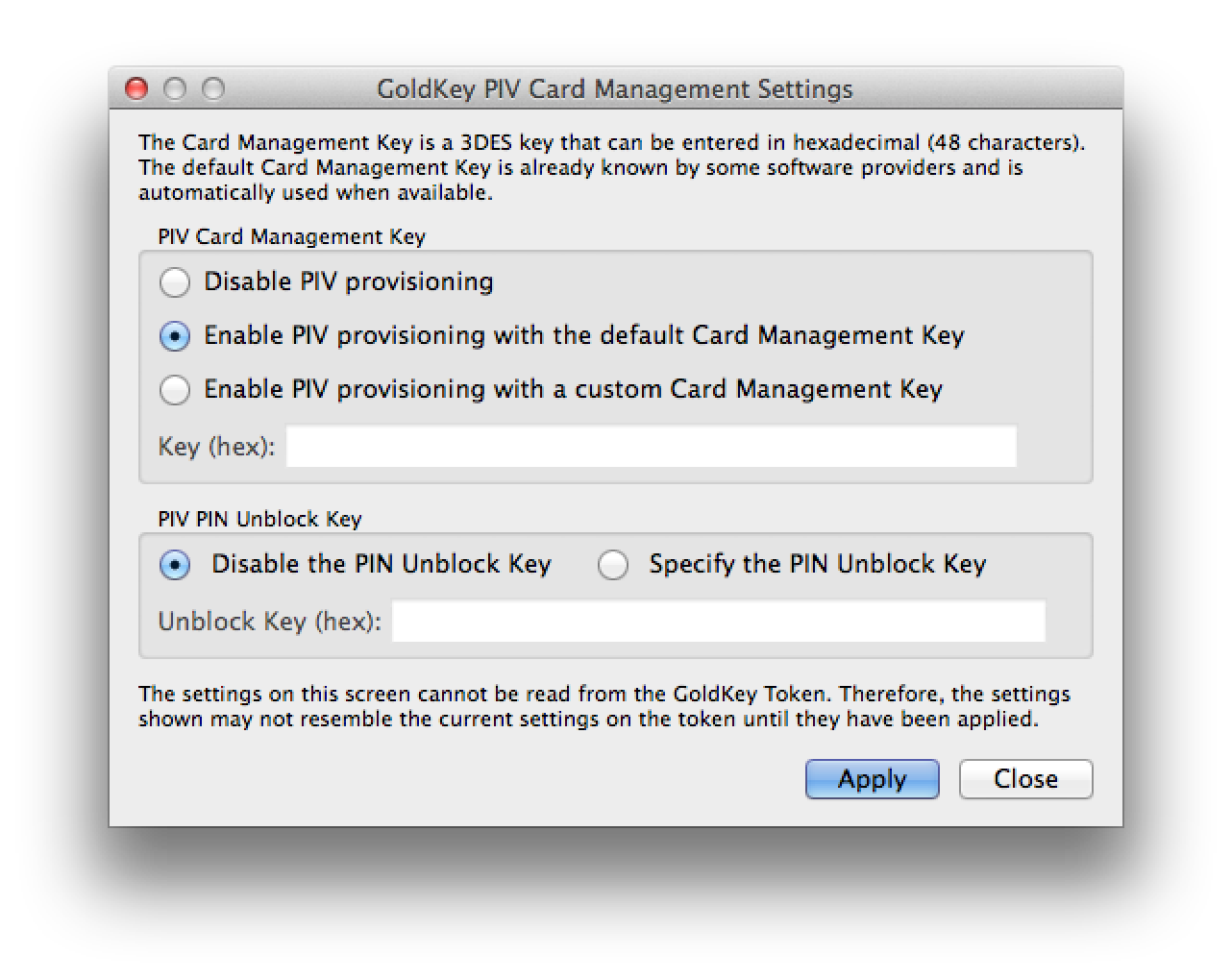
Card-administrator keys for GoldKey

Accessing PIV settings from GoldKey client

That brings us to the first problem: in order to perform key-generation or loading certificates on the card, we must be in possession of the card management key (also referred to as PIV card application-administrator key, with key reference 0x9B per NIST SP 800-78-3) must be known for that specific card. PIV allows this key to use any number of the algorithms defined in the standard including 3DES, AES, even public-key options RSA or ECDSA. But in practice most vendors including Gemalto, Oberthur and GoldKey all appear to have settled on old-fashioned 3DES, in keeping with the retro-chic commitment to DES in smart-cards and financial applications.

In the case of GoldKey, all tokens are provisioned with an unspecified “default key” from the factory. Luckily the proprietary client software allows changing this key to one controlled by the user. This step requires a master-token, and having associated the current token with that particular master.

Configuring the PIV card-administration key

Configuring the PIV card-administration key

3DES keys are entered as 48 hex-bytes or 24 bytes total. While 3DES keys are only 168-bits, in keeping with traditional DES key representation, only 7 bits out of each byte are significant. Least-significant bit reserved for a parity check, which is ignored in modern implementations. GoldKey appears to follow that model. Somewhat confusingly the PIV standard refers to this as “card management keys” but they are not related to the Global Platform issuer-security-domain aka “card manager” keys. This is strictly a PIV application-level concept, which is independent of whether the underlying card is Global Platform compliant. (Of course in reality PIV applications are typically implemented on GP-compliant cards.)

Assuming we now have a token provisioned with a card-administration key we control– or perhaps we saved ourselves the effort by using a brand that comes preloaded with well-known default keys from the manufacturer– we can tackle steps #1 and #4 above.

[continue to part II]

CP

** Incidentally this is why provisioning via the GoldKey Windows driver can not possibly be compliant with FIPS 201: it requires users to enter a PIN. There is no such mode in standard PIV; user PIN is neither sufficient nor necessary for administrative actions.

SSH with GoldKey tokens on OS X: provisioning (IV)

[continued from part III]

Until now we operated under the assumption that GoldKey tokens were already provisioned with PIV credentials. But that side-steps the question of how these key-pairs and certificates got there in the first place. The tokens arrive in a completely blank state, while PIV standard NIST SP800-73 defines several required objects such as CHUID, security-object, X509 certificates along with multiple containers that can cryptographic keys for different algorithms. Compare to the ongoing use of GoldKey, provisioning credentials turns out to be an involved problem, especially when the qualifier “on OS X” is thrown in. On Windows, there is a straightforward way using the standard certificate request path, with no manual software installation required in the best-case scenario. On other platforms the story is more complicated. Luckily provisioning and maintenance operations are infrequent. Worst case scenario they can be punted to enterprise IT department when there are special hardware/software requirements involved, much like printing employee badges.

Hierarchy of tokens

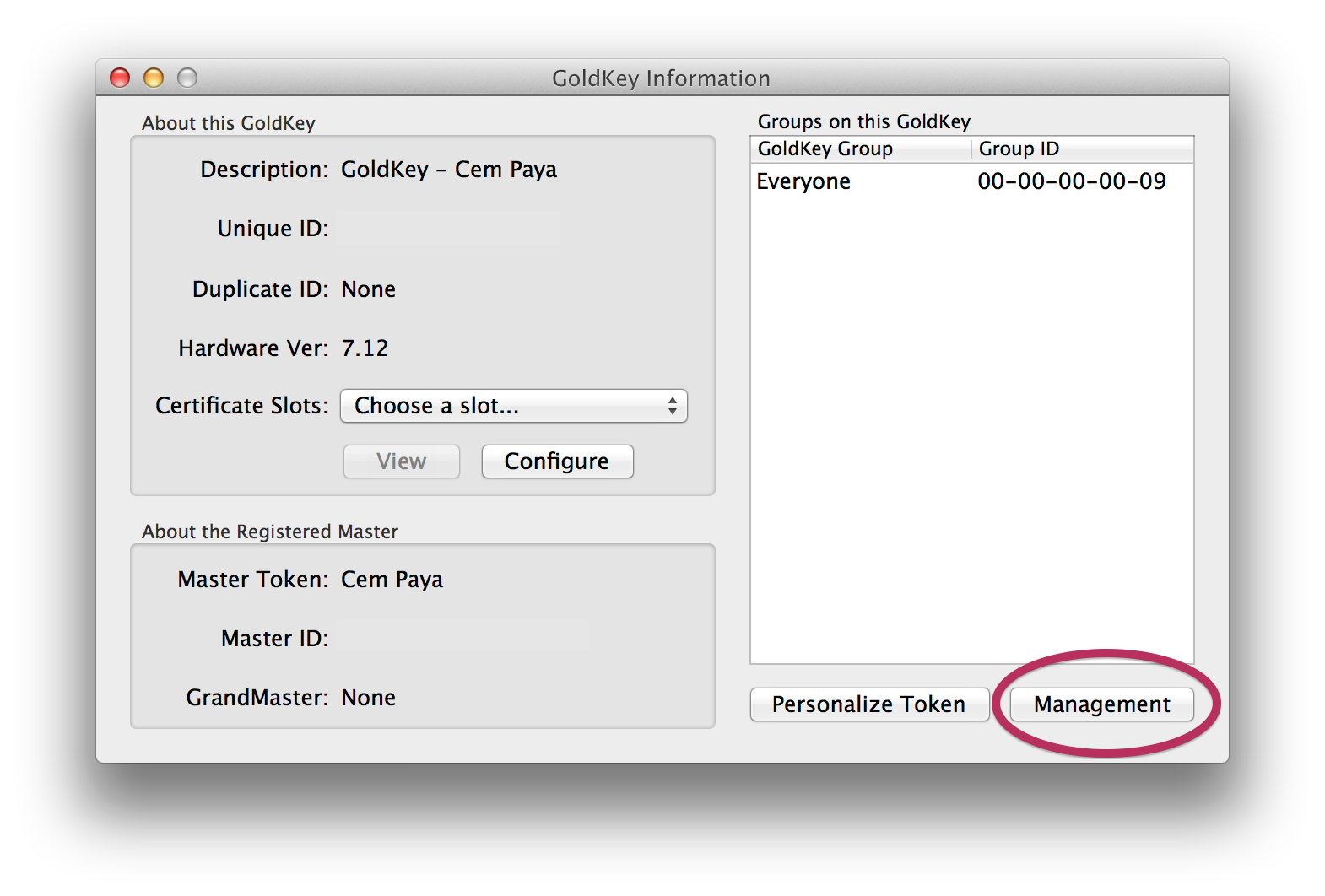
First let’s tackle a simpler problem: clearing an existing token and restoring it to original blank configuration. This turns out to require not just software but hardware support. GoldKey defines a hierarchy of tokens, with regular tokens managed by a master and masters in turn managed by a grandmaster token. Master tokens can perform administrative operations on a plain vanilla token. This functionality is accessed via the “Management” button under GoldKey information:

Accessing token management features

Accessing token management features

Dialog for managing GoldKey

Dialog for managing GoldKey

These all require having a master or grandmaster token. And it’s not just any master token, but the specific unit that this particular GoldKey was associated with during personalization phase. No such foresight or planning  involved during personalization? Not to worry: any master token can be used to completely clear out all data on that GoldKey and return it to clean slate configuration for re-personalization from scratch.

Provisioning with a master token

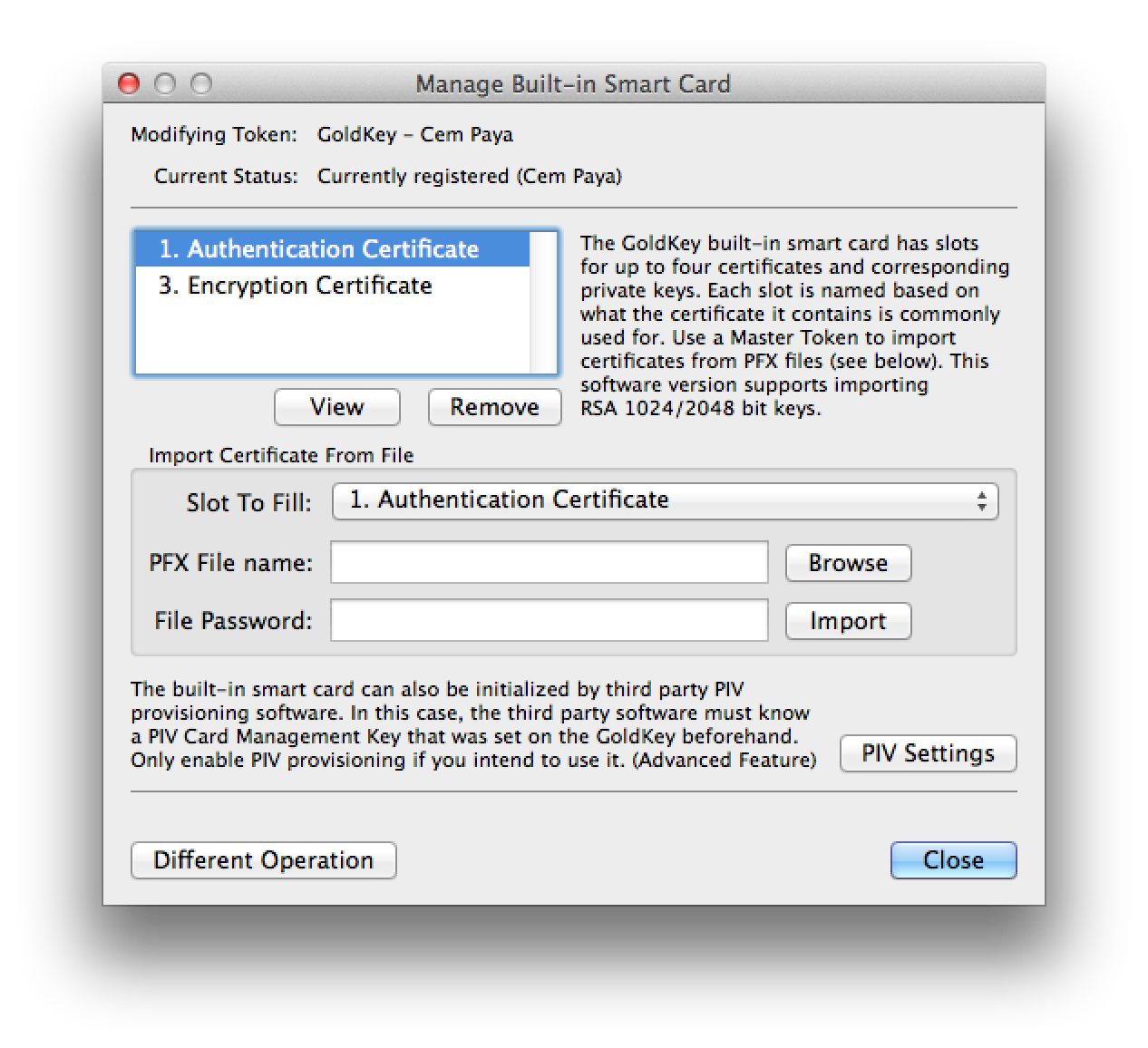
The same UI has an option labelled “manage smart cards” which sounds promising.

UI for managing certificates

UI for managing certificates

This allows provisioning into any of the 4 standard key types defined in the standard: PIV authentication, key-management, digital signature and card-authentication. But going down that path has an important caveat: it can only be used to provision from a PFX file, which is the MSFT variant of the PKCS12 standard. This format contains both the X509 certificate and associated private-key. But that means key material must be already available outside the token before one can import it, defeating one of the benefits of using cryptographic hardware tokens: secrets are generated on-card and never leave the secure execution environment.

Using the Windows mini-driver

Doing on-board key generation turns out to be fairly straightforward when using Windows with the GoldKey smart-card mini-driver installed. Recall that Windows has plug-and-play detection for cards and under normal circumstances will download the correct mini-driver from Windows Update. But in case the system associates a generic PIV driver instead of custom GoldKey one, it is possible to override that manually from device manager. Once correct driver is mapped, the built-in certreq utility can trigger key-generation and certificate loading.

One word of caution: GoldKey has a support article with example INF for generating self-signed certificates. Curiously the INF file used in that example does not perform key-generation on the token; it is not overriding the default cryptographic provider name to point at smart-card provider. (Fast key generation is a sign that it happened on the host. It takes about 30 seconds for 2048b RSA key to be generated, during which time the blue LED will blink.)

Also worth noting is that running certreq twice will not replace the existing PIV authentication key and associated X509 certificate. Instead it will provision to one of the other slots compatible with the specified usage, which turns out to be the key-management key. Clearing the original PIV authentication requires going back to the GoldKey client and using a master-token as described above.

What about on-board key generation from OS X or Linux? Not surprisingly, this is not supported by vendor software but it  is achievable using open-source alternatives. After all, PIV standard defines a GENERATE ASYMMETRIC KEY command for doing key-generation on the card. Leveraging this via open-source utilities (and some quirks of GoldKey tokens) will be the subject of another post.

CP

SSH with GoldKey tokens on OS X: fine-print (part III)

Second post in this series reviewed the basics of getting ssh working with GoldKey tokens. Here we focus on edge-cases and Mac specific problems.

Fine-print: compatibility with other applications

Invoking ssh from the command line is not the only use-case for SSH authentication. Many applications leverage SSH tunnels to protect otherwise unauthenticated/weakly-authenticated connections. One example already covered is the source-control system git. git invokes ssh in a straightforward manner, with some customization possible via an environment variable. Because all of this happens in a terminal, PIN prompt also appears inline on the same terminal session and everything works as expected after user enters correct PIN.

Such automatic compatibility does not hold true for more complex use cases, and depends to some extent on the way SSH authentication is invoked. Interestingly  GUI applications can also work with cryptographic hardware if they are designed properly. For example Sequel Pro is a popular SQL client for OS X. It supports accessing databases over SSH tunnels through bastion hosts. When using a GoldKey for the SSH credential, PIN prompt will appear in a modal dialog:

PIN prompt from Sequel Pro on OS X

PIN prompt from Sequel Pro on OS X

This is compliments of the custom ssh-agent built into OS X, which includes changes from Apple to interface with the system keychain for collecting PIN/passphrase to unlock keys. Unfortunately this “value-added” version from Apple has a downside: it does not work correctly with hardware key.

Macintrash strikes back: key-agent troubles

One problem quickly discovered by Airbnb engineers during this pilot concerned SSH key-agent: adding credentials from the token to SSH agent does not work. In fact, it is worse than simply failing: it fork-bombs the machine with copies of ssh-pkcs11-helper process until no additional processes can be created. (pkill to the rescue for terminating all of them by name.) No one can accuse Apple for having tested enterprise scenario.

This creates two problems:

  1. Usability: GoldKey PIN must be entered each time. Arguably this is beneficial for security; guidelines for PIV clients even discourage PIN caching, since it can lead to problems when a computer is left unattended with the token attached. But there is also an inconvenience element to frequent PIN entry. This is more of a concern when the token is used for scenarios such as accessing a git repo, when frequent server interactions are common. (SSH to multiple targets in quick succession is rare although there are applications such as massively parallel SSH designed to do exactly that.)
  2. Functional limitation: Putting aside the security vs usability debate for PIN caching, there is a more fundamental problem with key-agent not supporting hardware tokens: it breaks scenarios relying on SSH agent-forwarding. For example, when the user connects to server A and from there tries connecting to server B, they need an agent running on their local machine and that agent to be forwarded to server A in order to authenticate to B using credentials on the GoldKey token. A less obvious example of “nested” connection involves logging into a remote machine and then executing a git pull there to sync a repository, which involves SSH authentication under the covers.

Luckily the limitation turns out to be a function of openssh binaries included out-of-the-box with Mavericks. Upgrading to 6.6p1 and making sure that all of the binaries executed– including ssh-agent and ssh-pkcs11-helper– point to this latest version solves the problem.

$ ssh-add -s /usr/lib/opensc-pkcs11.so
Enter passphrase for PKCS#11: 
Card added: /usr/lib/opensc-pkcs11.so
$ ssh-add -e /usr/lib/opensc-pkcs11.so
Card removed: /usr/lib/opensc-pkcs11.so

The collateral damage however is losing PIN collection for GUI applications, such as the Sequel Pro example above. That functionality is dependent on custom OS X keychain integration which the vanilla open-source ssh-agent lacks. When the application is invoked manually from the terminal, we can see the PIN prompt appear on stdout. Not good.

One work-around is to manually add the key to the agent before invoking GUI applications. A better solution is provided by the Homebrew version of openssl which combines the keychain patch with latest openssh sources to satisfy both use cases.

The final post in this series will conclude with a discussion of setup, key-generation/credential provisioning and maintenance operations.

[continued]

CP